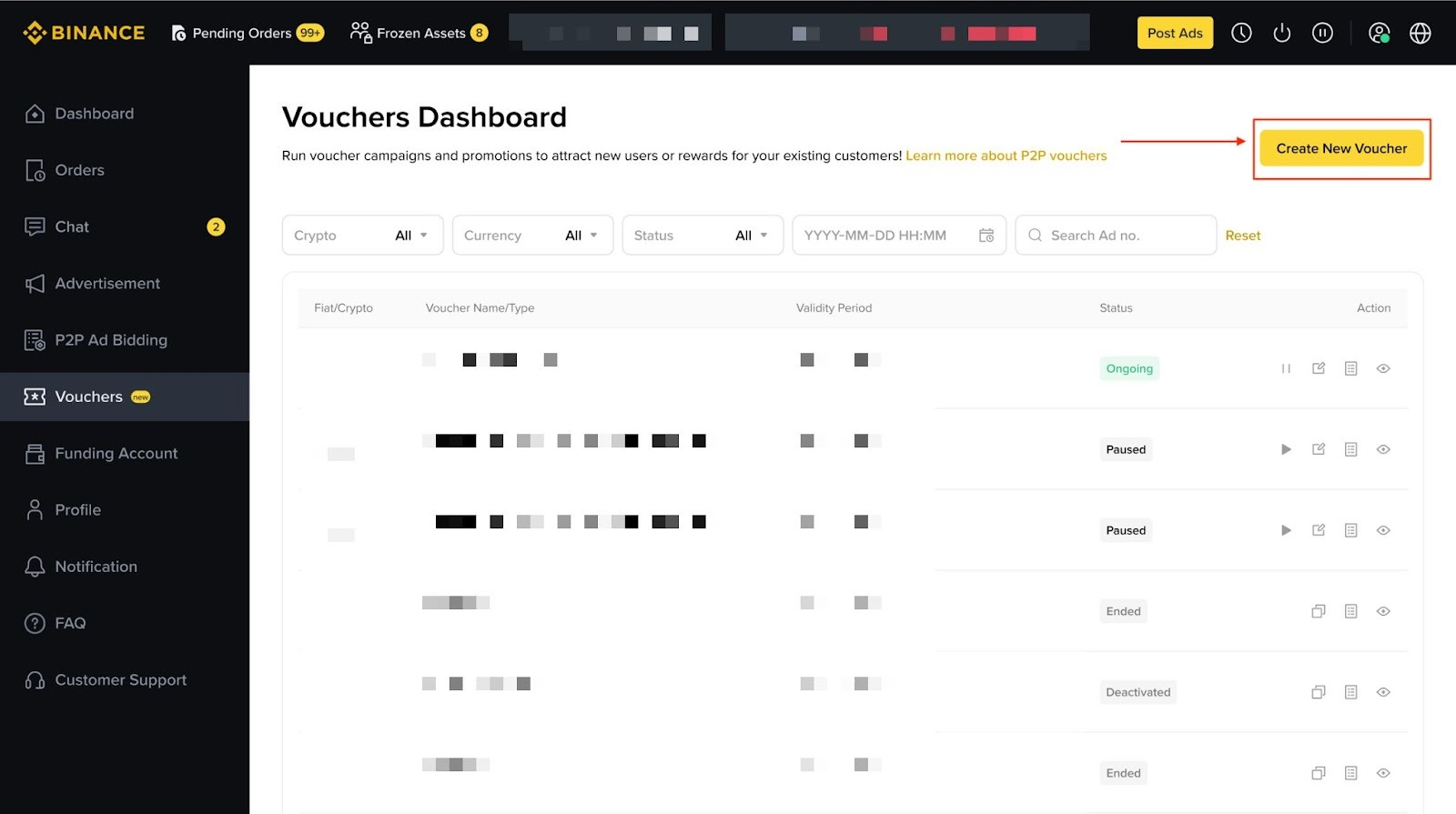
Go to the Voucher Dashboard, click [Create New Voucher], fill in all required details, select the ads to apply it to, agree to the terms, and submit.
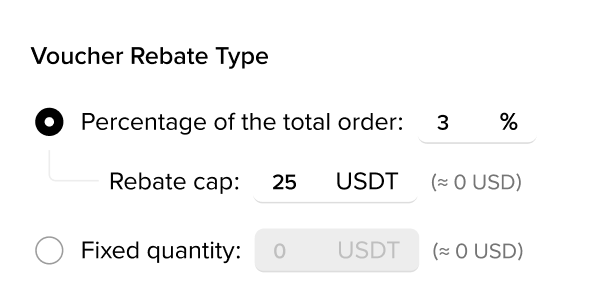
You can offer:
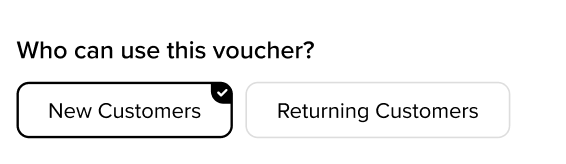
You may target:
• New customers (first‑time buyers), or
• Returning customers (buyers who traded with you before).
Open the Voucher Dashboard and click the Redemption Details icon to see used and remaining budget.
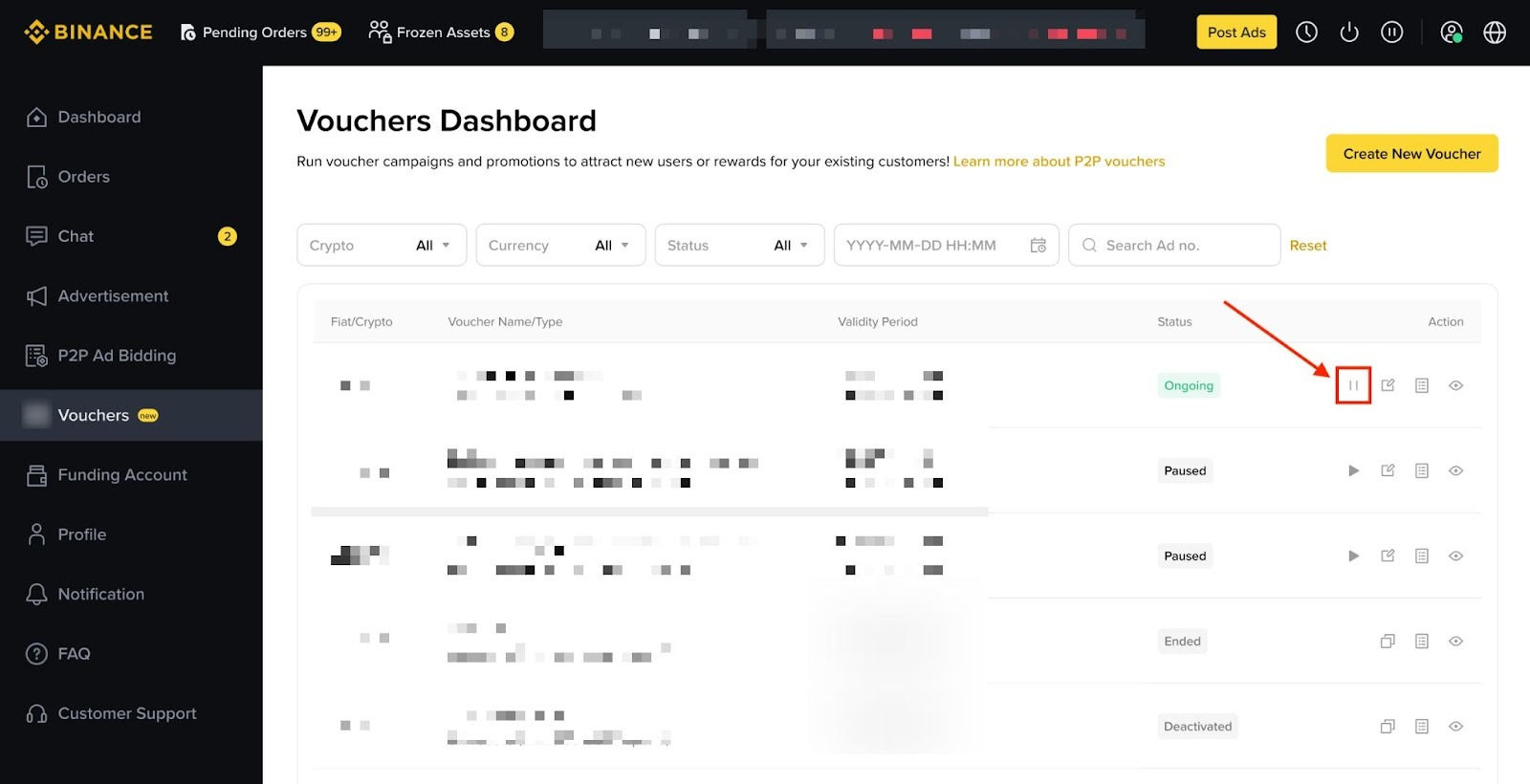
Yes. You can pause a campaign directly from the dashboard or from the voucher detail page.
You must pause the voucher first. You cannot edit an active voucher.
No. Active or paused vouchers cannot be deleted, but you may pause them or let them expire.
Yes. You can reactivate and update certain voucher details before using it again.

Deposit enough digital assets into the voucher. Binance will reserve these funds for rebate payouts.
The voucher stops applying to new orders until you add more budget or create a new voucher.
No. Voucher rewards are not included in the order quantity.
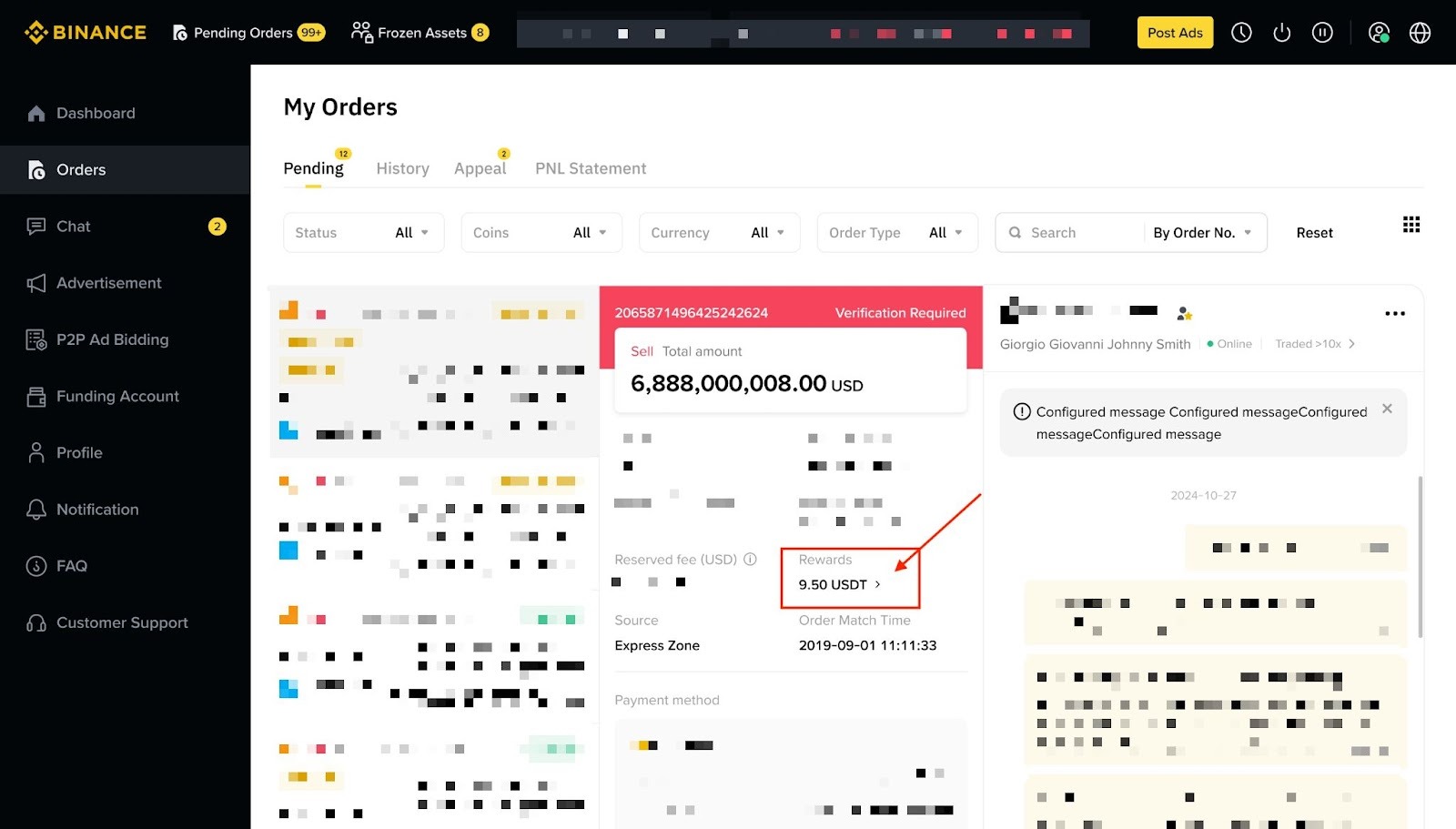
Go to the Order Detail page. Rewards are shown under the Rewards section.
No rewards are issued. The unused reward amount stays in your voucher budget.
You are fully responsible for creating, funding, and managing your campaigns in compliance with laws and Binance policies.
No. Binance is not liable for losses or issues resulting from your campaign. All rewards are funded by you and distributed directly to buyers.
If you meet the voucher criteria, you receive a rebate that reduces your net trade cost.
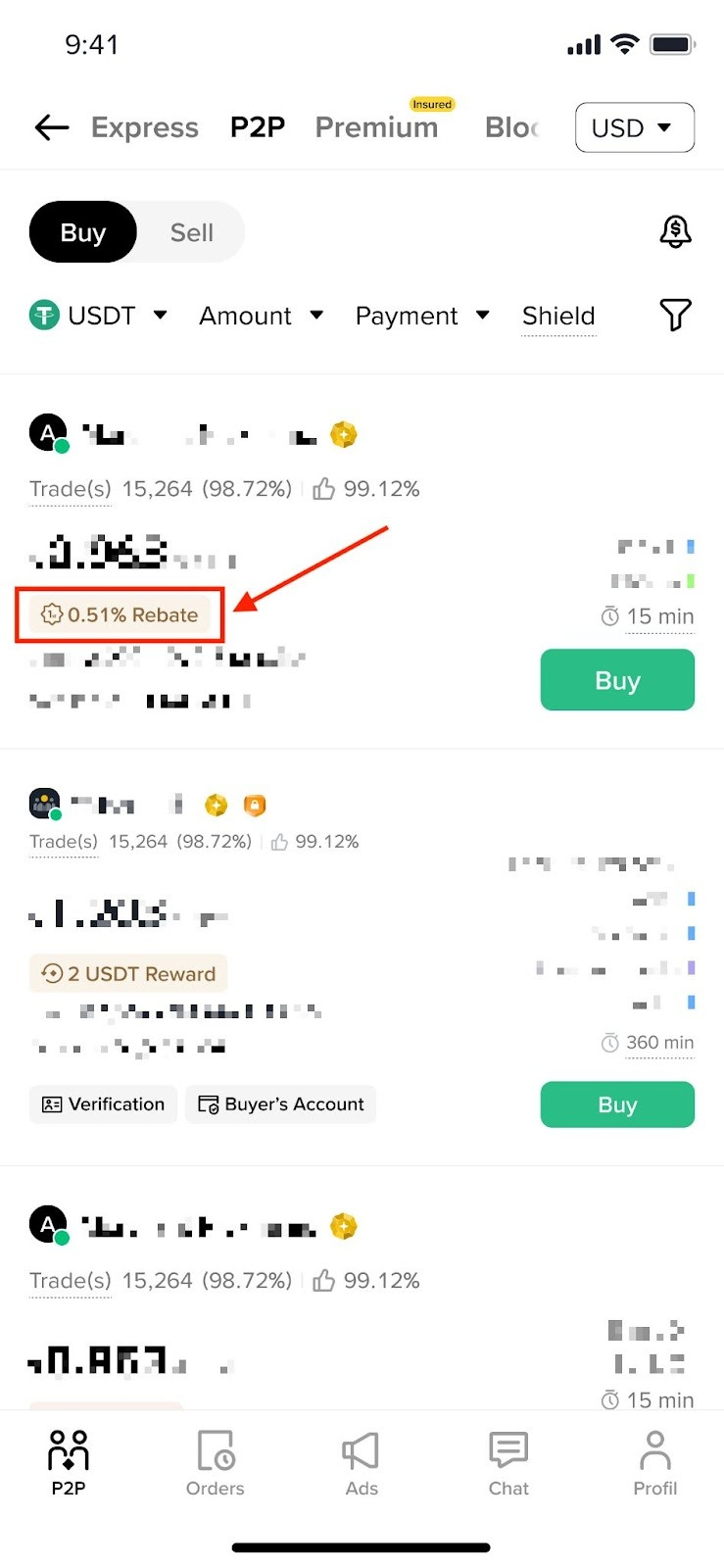
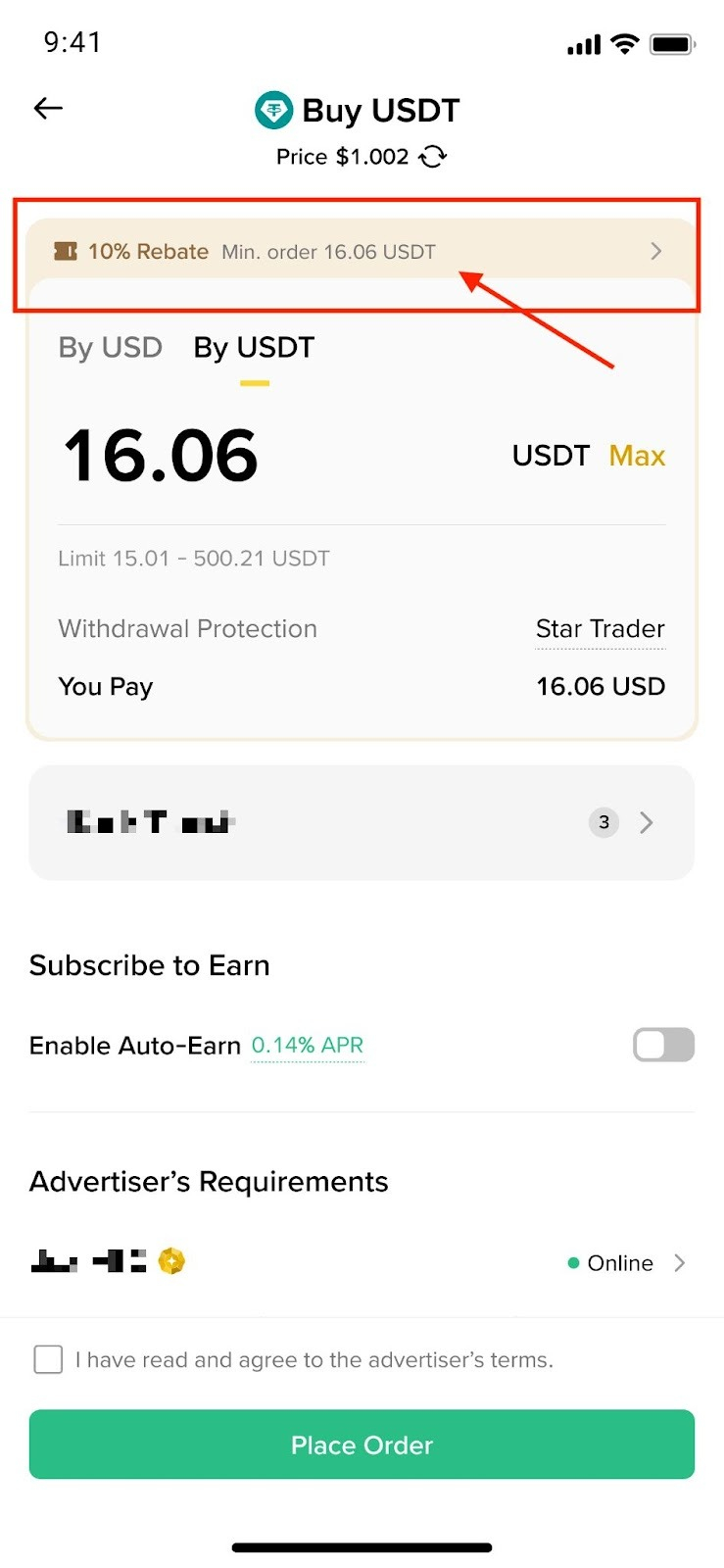
Eligible ads show a voucher indicator during the trading flow. The reward applies automatically if you qualify.
Yes. Some vouchers are for new users only; others reward returning users.
No. Vouchers only apply to ads chosen by the merchant.
No. Only one voucher can apply per advertisement.
No. Rewards are applied automatically when the order is completed.
Rewards are sent to your funding account, reward amount depending on the merchant voucher’s settings.
Yes. If the trade is not completed, the voucher is not consumed and can be used again.
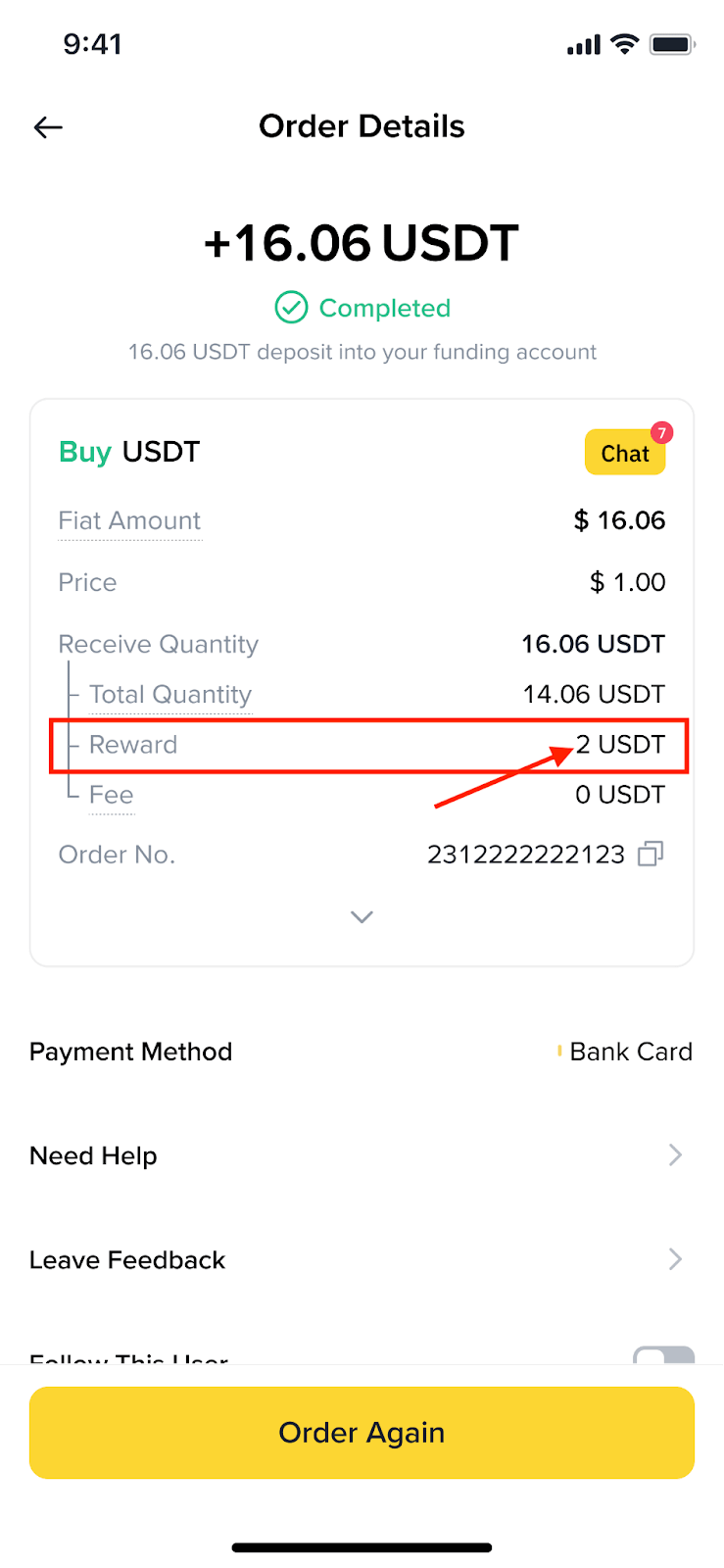
Check your Order Details to confirm eligibility. If you have met all requirements but did not receive the rewards, contact Customer Support for help.
