How to Convert Small Account Balance to BNB, BTC, ETH, USDT, and USDC?
Published on 2018-04-24 13:34
Updated on 2026-03-17 03:32
Website
App
Whenever you trade, there will be some “dust” - a small balance left behind in your account after the transaction. At Binance, you can convert dust with a valuation below 10 USDT to BNB, BTC, ETH, USDT and USDC once every 1 hour.
How to convert small balances on the Binance website?
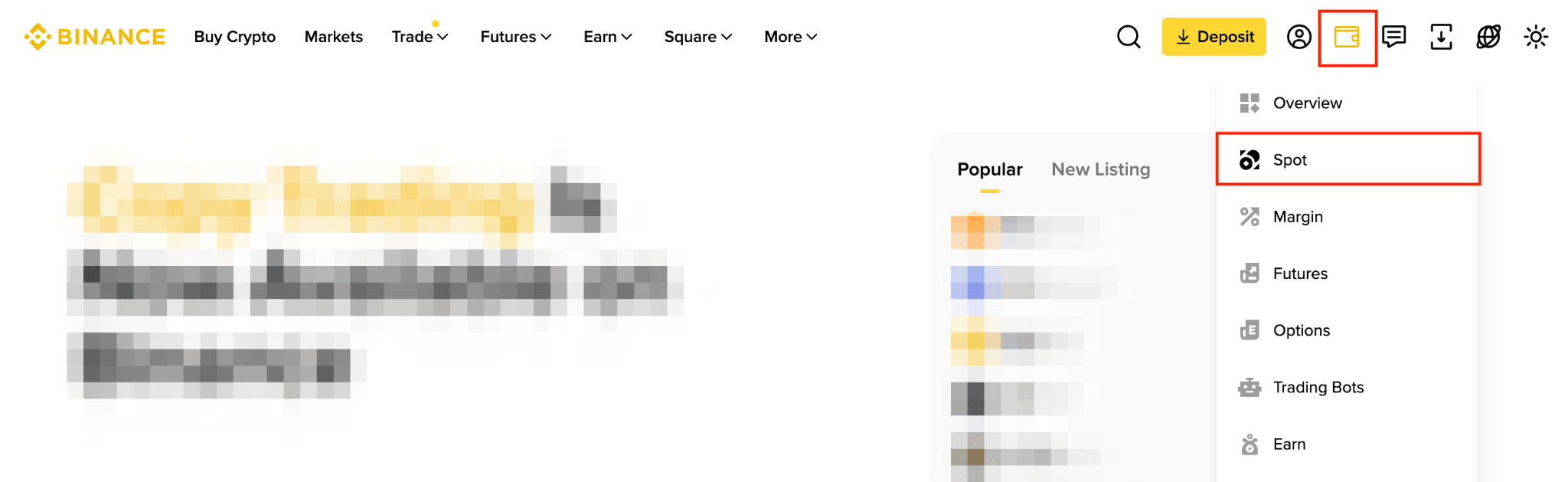
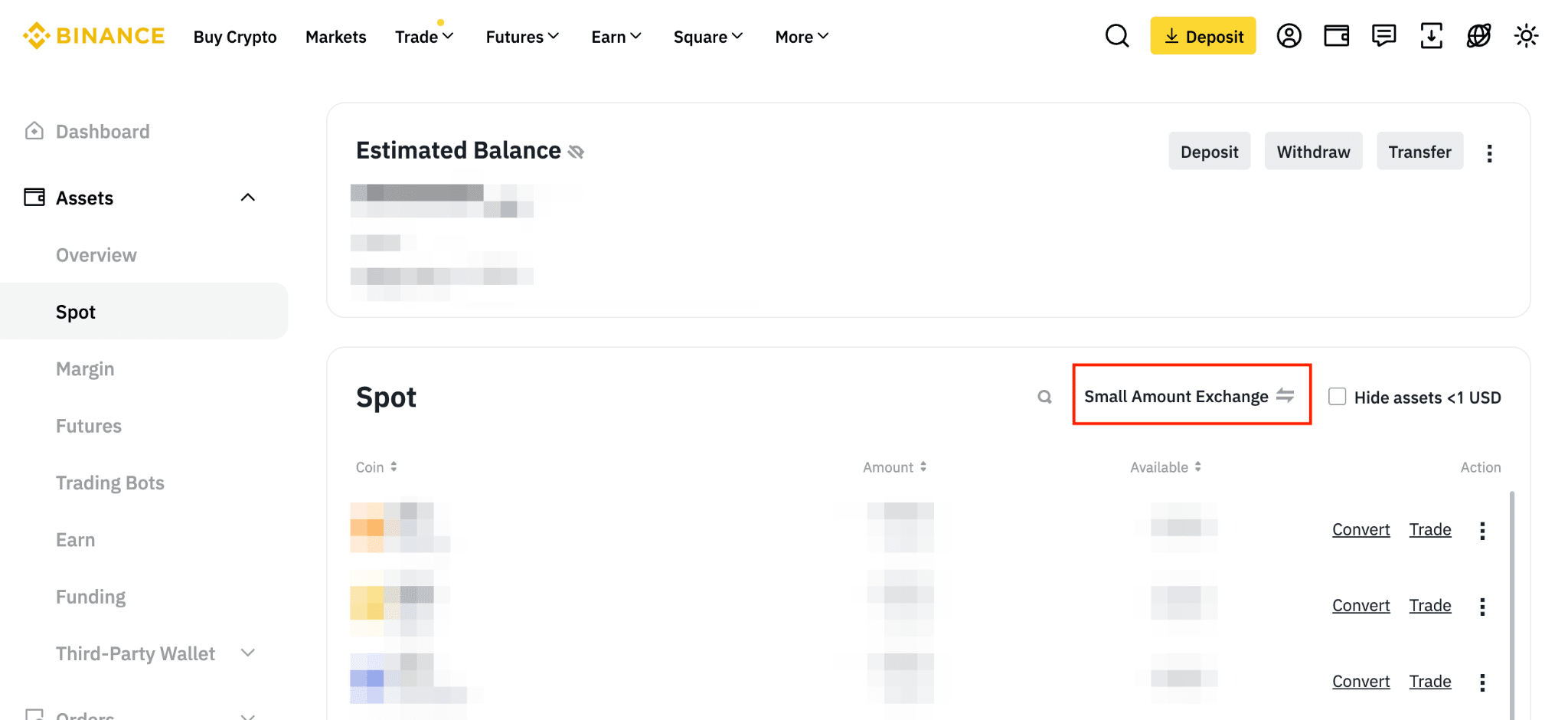
1. Log in to your Binance account and click [Assets] - [Spot].
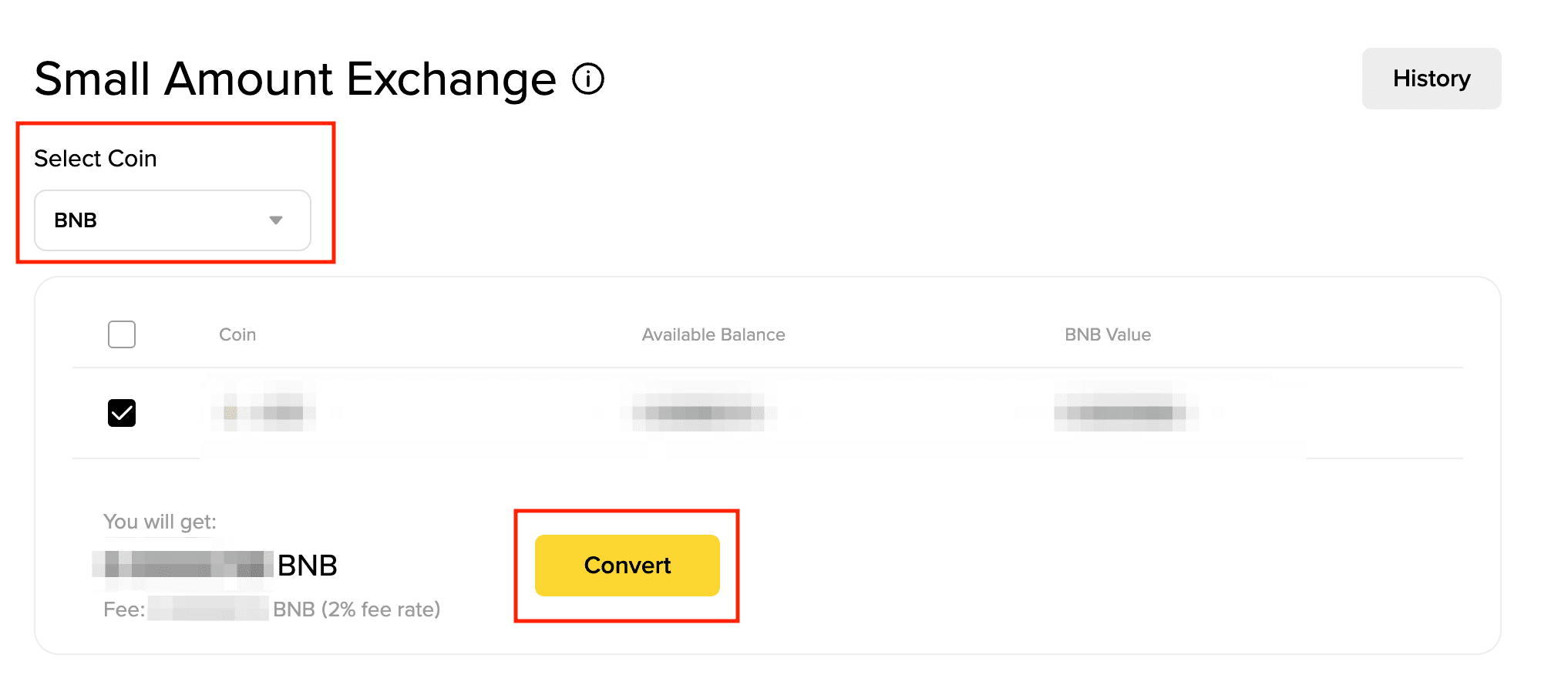
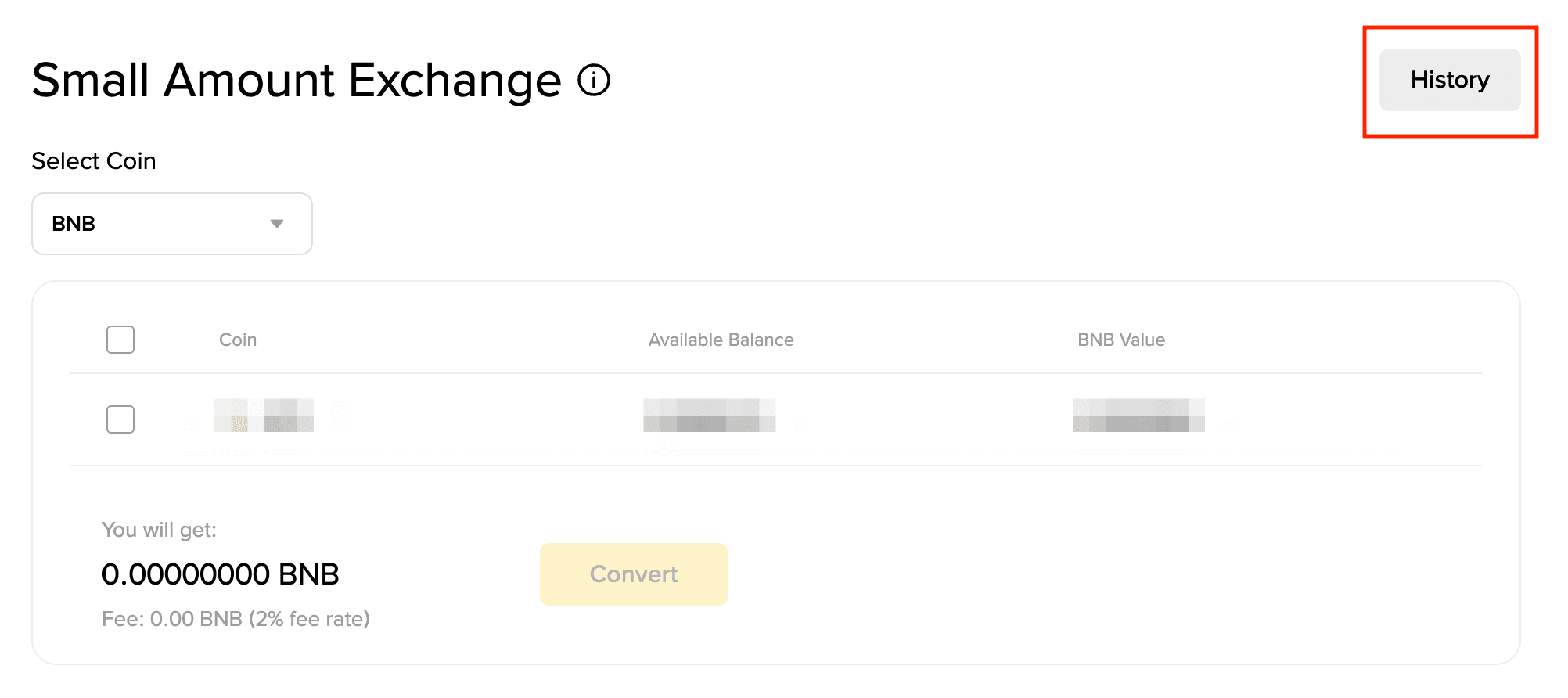
3. Here you can see a list of the assets that can be converted.
a. Choose the target coin you wish to convert to.
b. Check the box next to the asset(s) you wish to convert.
c. Click [Convert].
Please note: A flat 2% fee applies to all token conversions, except alpha tokens which have a 10% flat fee charged.
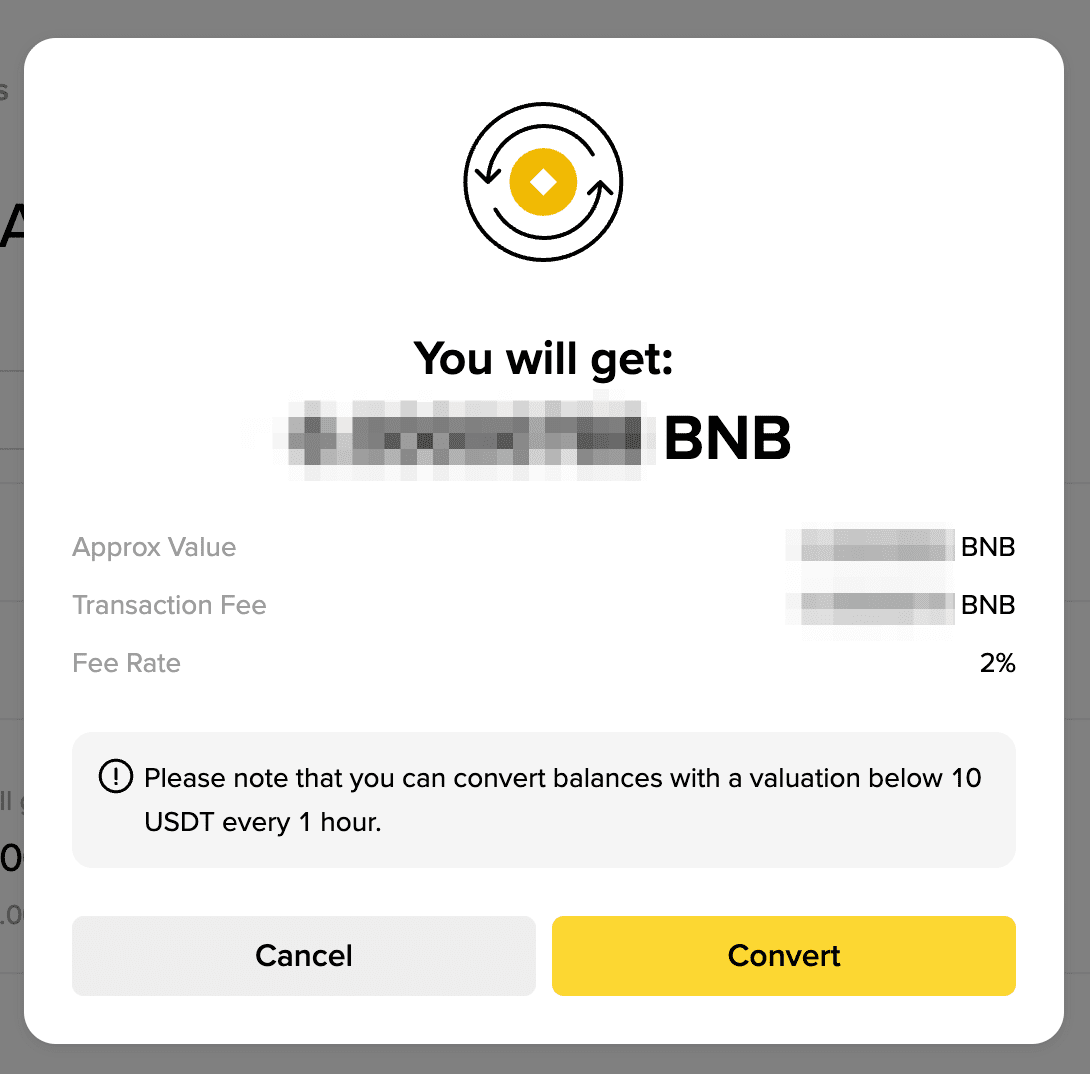
4. Check the conversion details and click [Confirm]. Please note that you can convert balances with a valuation below 10 USDT every 1 hour.
The selected target coin will be distributed to your Spot Account.
5. To check your conversion history, click [History] on the “Small Amount Exchange” page.
Please note:
The minimum amount for dust conversion is 0.00000001 of the target token amount.
Dust Conversion now supports most of the tokens, including Alpha tokens, if a user is unable to see their preferred tokens under the dust convert option, it means that Binance does not support it at the moment. Please reach out to the Customer Service Officer for such a request.
Small Amount Exchange is available on Spot, Funding and Alpha wallet.
How to convert small balances on the Binance App?
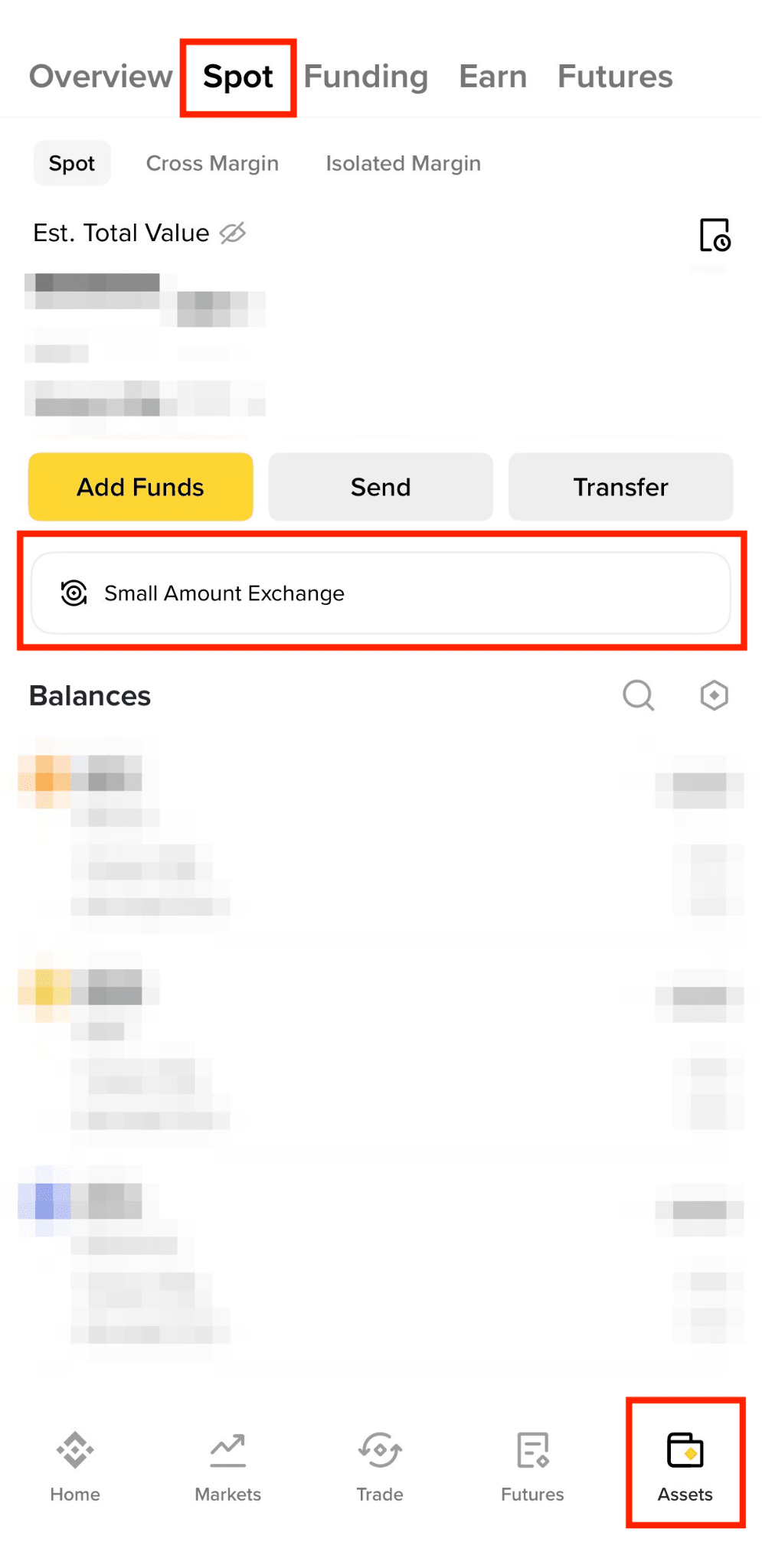
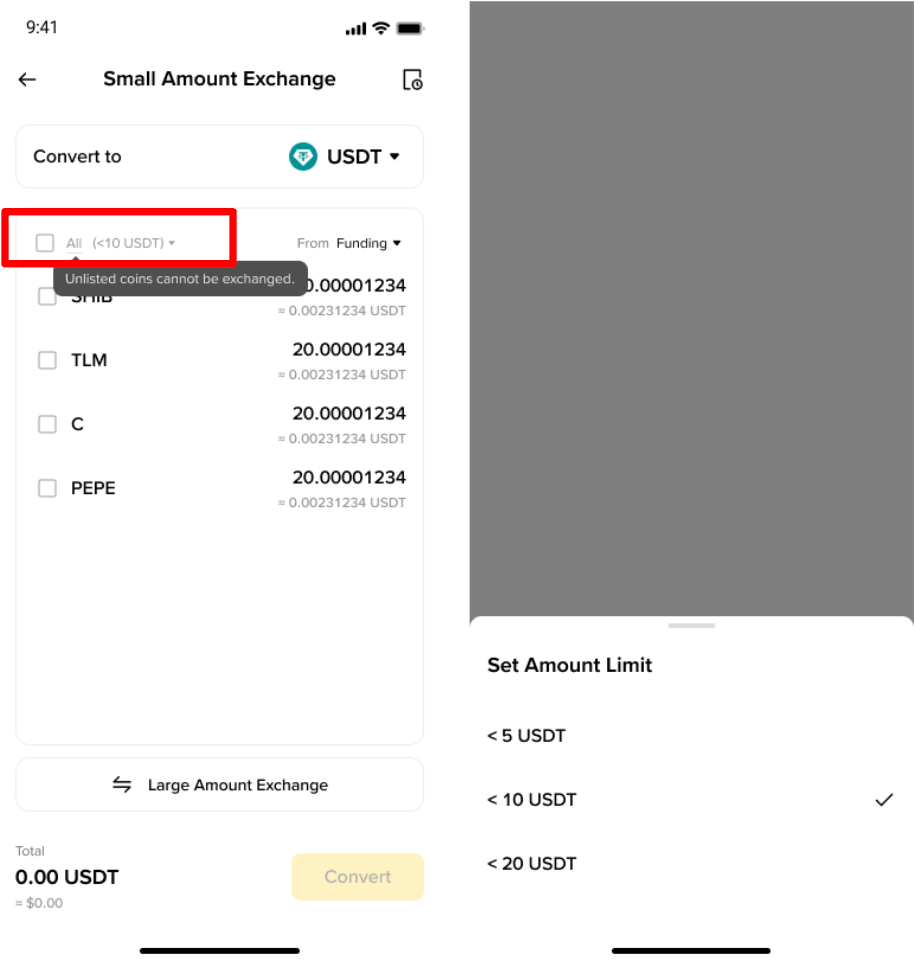
1. Log in to your Binance App and go to [Assets] - [Spot]. Tap [Small Amount Exchange].
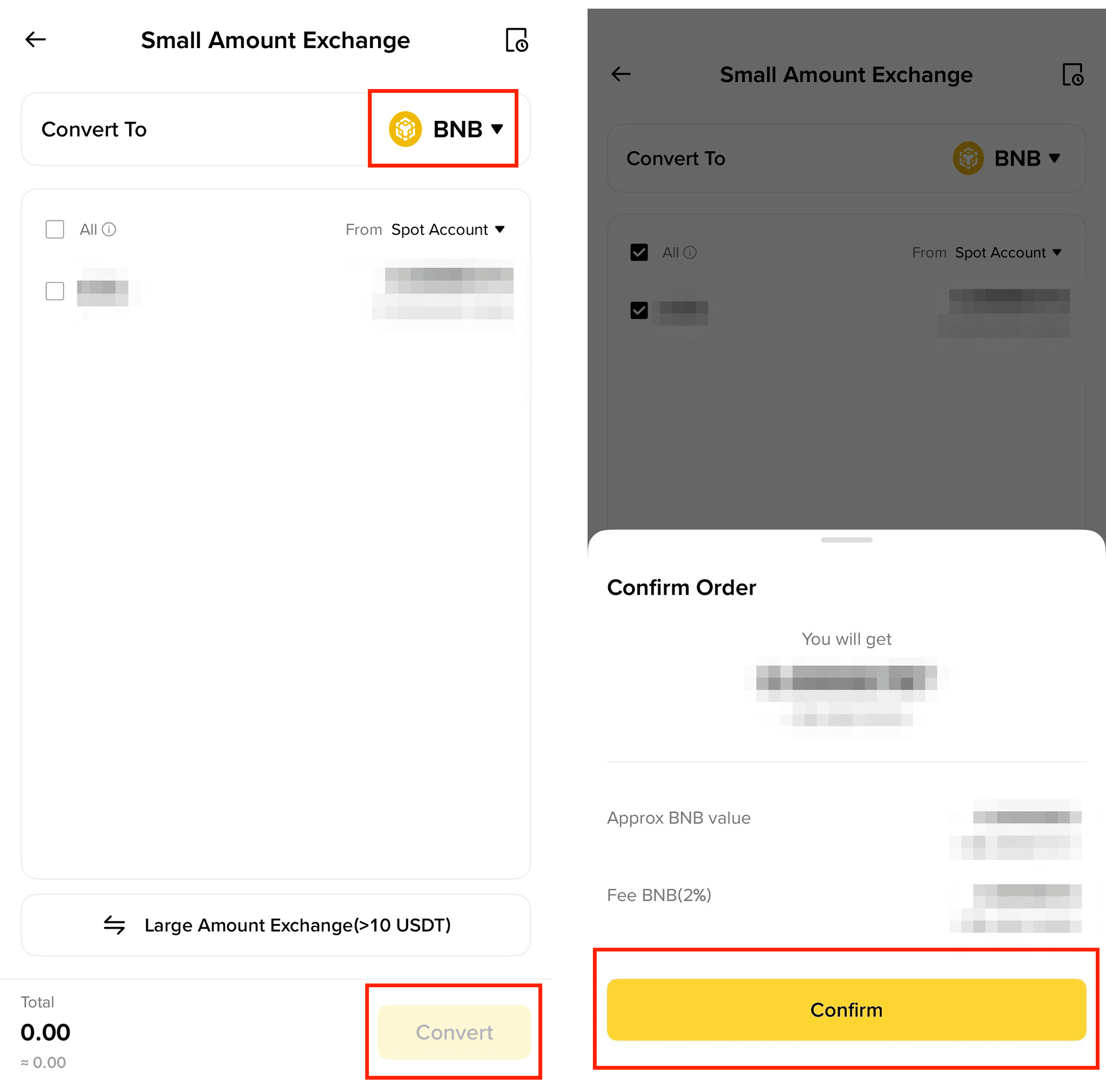
2. You’ll see a list of the assets that can be converted.
a. Choose the target coin you wish to convert to.
b. Check the box next to the asset(s) you wish to convert and tap [Convert].
c. Review the conversion details and tap [Confirm]. The selected target coin will be distributed to your Spot Account.
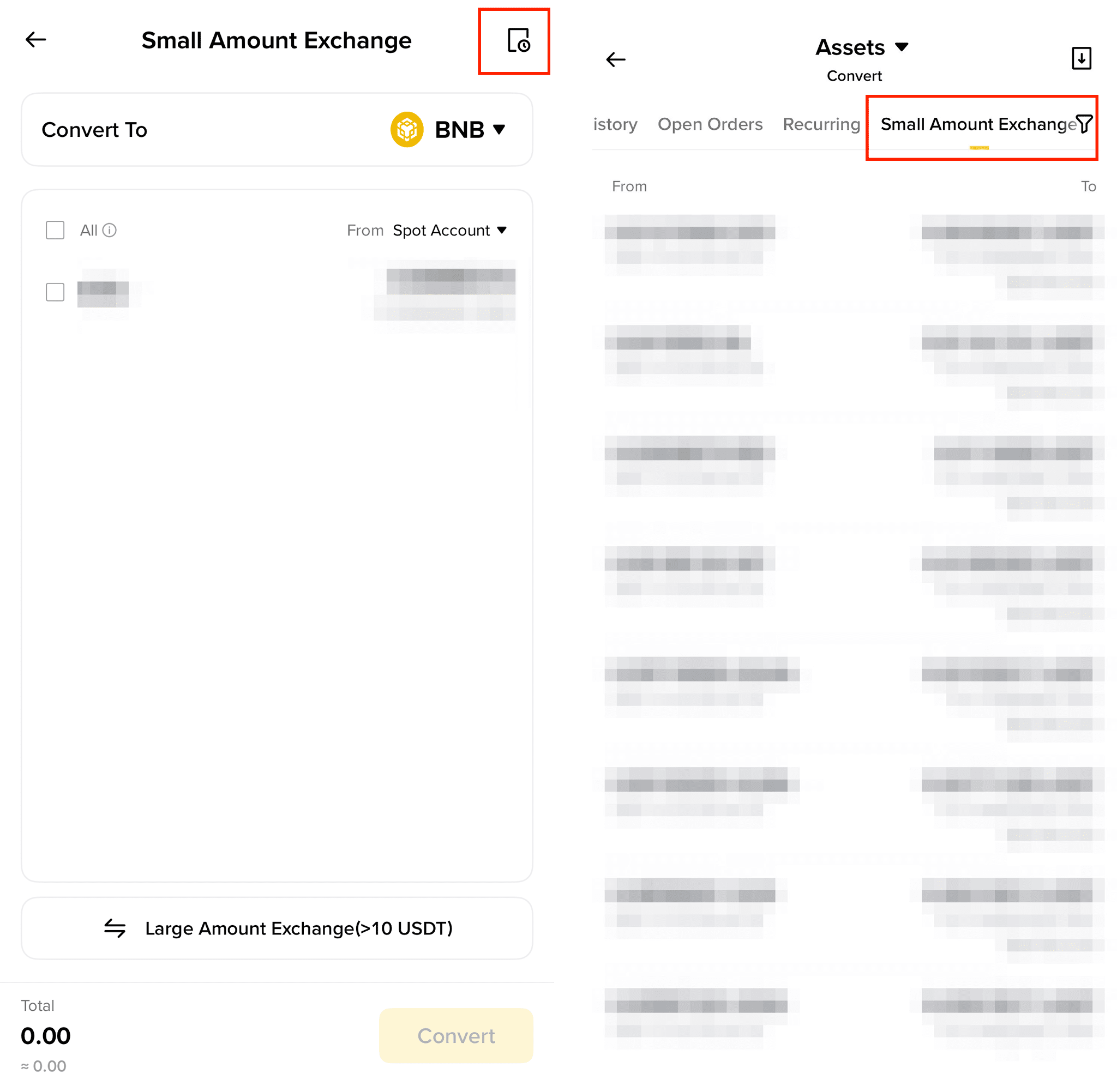
3. To check your conversion history, tap the history icon on the top right.
Please note:
You can convert as many assets in one conversion as you wish.
Unlisted/delisted tokens cannot be converted.
You can make one small balance conversion every 1 hour.
Please note that the amount you can get displayed on the preview page is just an estimation. The selected assets will be converted to selected target coin according to the current market price when you click [Confirm].
If the asset valuation is less than 0.00000001 target asset, the conversion will not be successful. If there is a 5% (or greater) fluctuation during the conversion, for the benefit of users, the conversion process will not proceed. Please try again later.
The minimum amount for dust conversion is 0.00000001 of the target token amount.
Dust Conversion now supports most of the tokens, including Alpha tokens, if a user is unable to see their preferred tokens under the dust convert option, it means that Binance does not support it at the moment. Please reach out to the Customer Service Officer for such a request.
You can now set the limit amount of tokens (5/10/20 USDT equivalent) to be displayed in the Small Amount Exchange.
This feature is not available for offboarding users, offboarded users may refer to One-Click conversion that will be prompted to these users when offboarding.
Small Amount Exchange is available on Spot, Funding and Alpha wallet.