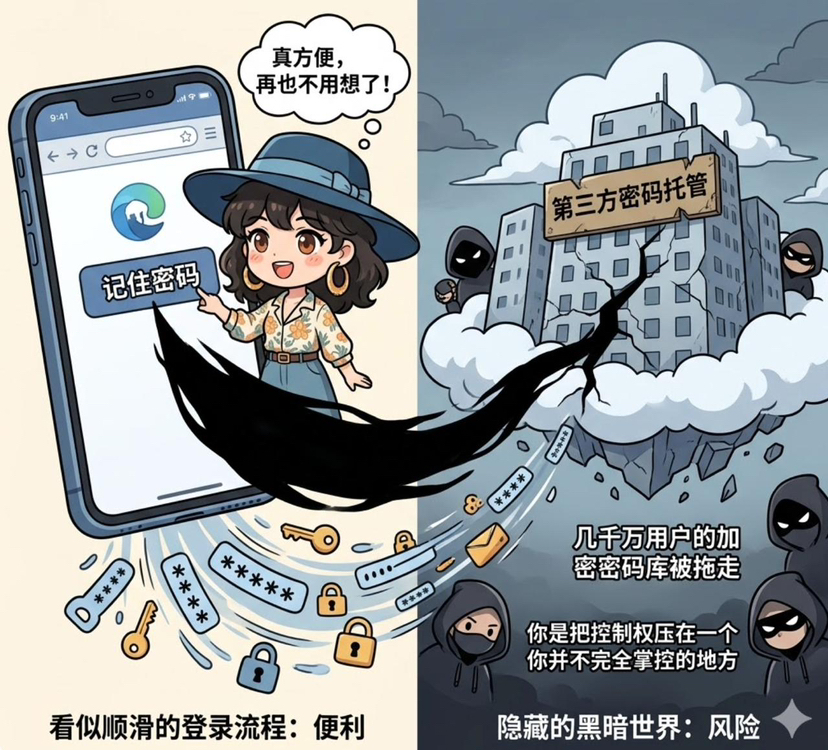
Have you clicked 'remember password'?
There's a high probability you've clicked it. And after clicking it, you never thought about it again!!!
The browser fills it in for you, the phone syncs it for you, and logging in becomes so smooth that it almost feels non-existent. The problem is, behind this smoothness, there is one thing that many people have never really thought about: where is this password actually stored?
Is it on your local device?
Has it been synced to the cloud already?
Has it been taken over by a third-party password management service that you are not very familiar with?
If there is a problem one day, did you lose it yourself, or was it compromised on someone else's end?
Last year's hack of LastPass is actually quite typical. The encrypted password vault of tens of millions of users was taken away, theoretically protected by a master password, but once such things fall into the hands of an attacker, the subsequent risk is not whether it has been cracked, but when it will be gradually discovered. Many people realized at that time that they thought they were managing their passwords, but in reality, they were placing an entire set of digital identities in a place they did not fully control.
The most awkward part of this matter is that you do not even know where the risk points are.
When we usually discuss security, we like to talk about the shortcoming effect, but in the realm of digital identity, it resembles the shortest plank, which you might not even know where it is.
Especially in places like the Middle East, where financial digitization is progressing rapidly, this issue becomes even more evident. Many institutions have already enforced two-factor authentication; the process seems strict, but looking deeper, how keys are stored, who manages them, how they are backed up, and how recovery is conducted varies greatly. Some have achieved hardware isolation, while others remain in a semi-custodial or quasi-custodial state. On the surface, everyone seems to be focusing on security, but the underlying certainty is different.
Because of this, when I later looked at the Security & Privacy section of @SignOfficial white paper, I felt it was not discussing a distant security system, but rather addressing a foundation that had always been assumed but not clearly articulated: how keys should actually be managed. #Sign地缘政治基建
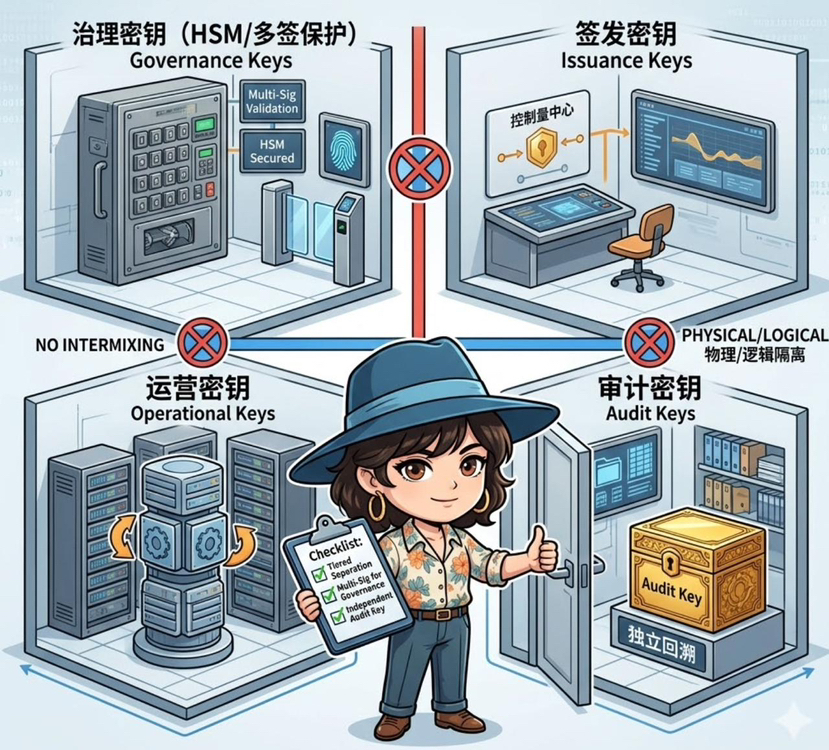
Many system issues arise not from a lack of security measures, but from placing all critical operations under a universal key. Once this key encounters problems, it essentially triggers a chain reaction. The first step taken here at Sign is actually quite simple: to separate the keys.
Governance keys, issuance keys, operational keys, and auditing keys each have their own responsibilities and should not be mixed.
The governance of the most sensitive keys must be placed under higher levels of protection like HSM or multi-signatures. The keys used for issuance and daily operations should be separated to avoid dragging the entire chain down if one link encounters problems, and auditing-related matters should be handled separately to ensure independent traceability. You can understand it as not just reinforcing a lock, but separating different doors with locks of varying levels.
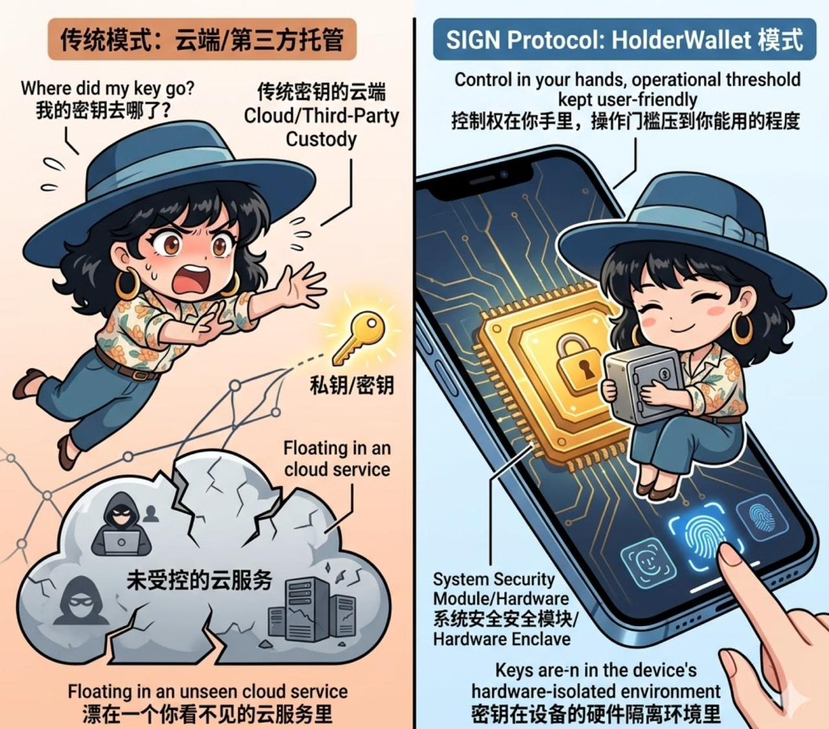
Moving further down, what truly relates to personal use is the HolderWallet design mentioned in the white paper.
The core is actually just one sentence: you manage your own keys.
However, managing this oneself does not mean just tossing a string of mnemonic words to you and calling it a day, nor does it mean letting a centralized service provider host it for you. It emphasizes non-custodial storage, along with device-level security protections such as biometrics, hardware security modules, and usable but controlled backup recovery mechanisms. In other words, the keys are in the hardware-isolated environment of your device, not floating in an unseen cloud service.
This is fundamentally different from remembering a password. The former often involves changing the place where it is stored, while the latter aims to keep control in your hands as much as possible, while lowering the operational threshold to a level you can still use.
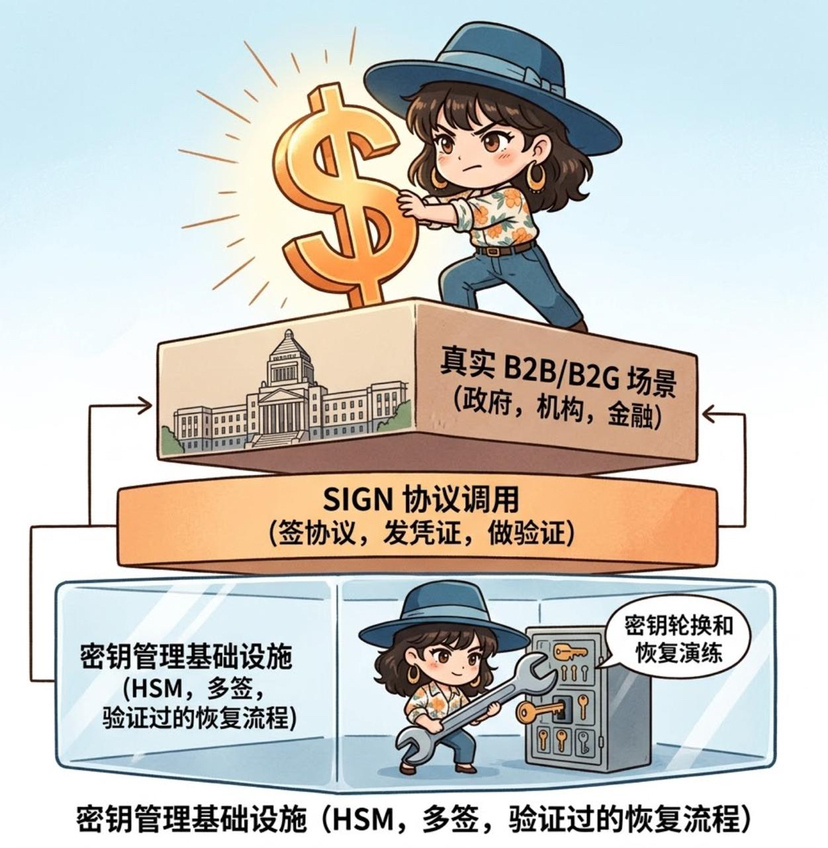
Another detail I find crucial is that the white paper requires key rotation and recovery processes to be documented and tested.
It sounds like a standard statement, but it is actually very important in reality. Many systems have recovery processes, but they are only documented and never truly practiced. When something goes wrong, it is discovered that the processes are not feasible, people do not know how to operate, and permissions do not align. The requirements here at Sign seem more like a necessity for these processes not to be merely written for review, but to have been genuinely run and verified, ensuring that they can still be used in the worst of times.
Looking further up, you will find that key management is actually the foundation of all on-chain operations. Whether signing agreements, issuing credentials, or conducting verifications, it essentially relies on keys. The stability of the foundation directly determines whether those seemingly advanced applications are reliable or fragile.
This is also why I feel that the focus of $SIGN is not just as simple as protocol calls. When SignProtocol is deployed to government and institutional levels, it brings along a complete set of key infrastructure: how to deploy HSM, how to configure multi-signature, how to rotate keys, and how to conduct recovery drills. These are heavy and practical B2G/B2B scenarios.
And with each key operation, each permission change, and each critical action, attestation can be generated to record and verify. The calls are not just empty turns; they occur alongside these real security actions.
So, returning to that seemingly mundane action of clicking to remember the password.
What truly needs to be worried about is not whether you skip this input step, but which part of the control you have relinquished, and whether you know where it currently is.
If the underlying layers are still a blur, then adding more authentication processes on top is essentially building layers on an unstable foundation.
If Sign's system is to be implemented in reality, it does not merely make login more convenient, but ensures that you at least know where the most critical plank is, who is in charge, and whether it can be retrieved in case of issues.