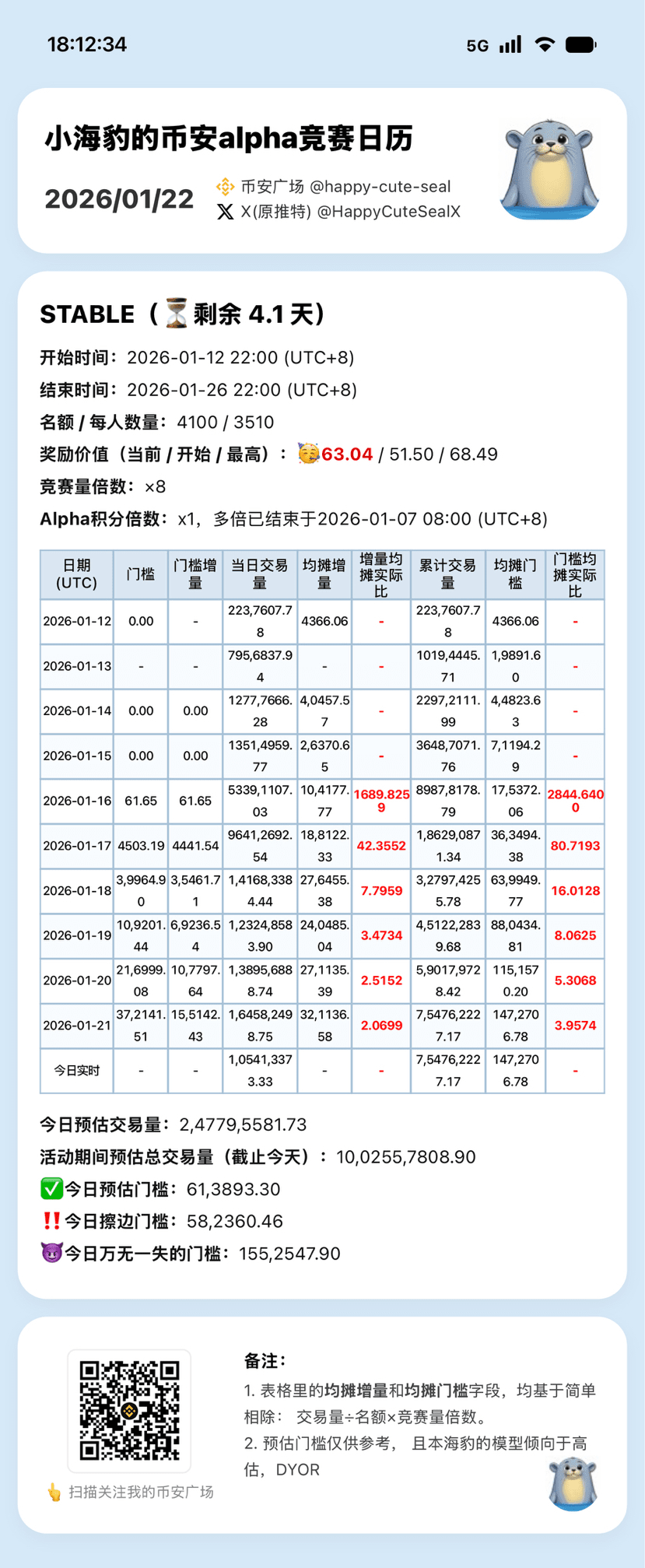
1. Effect Chart👇
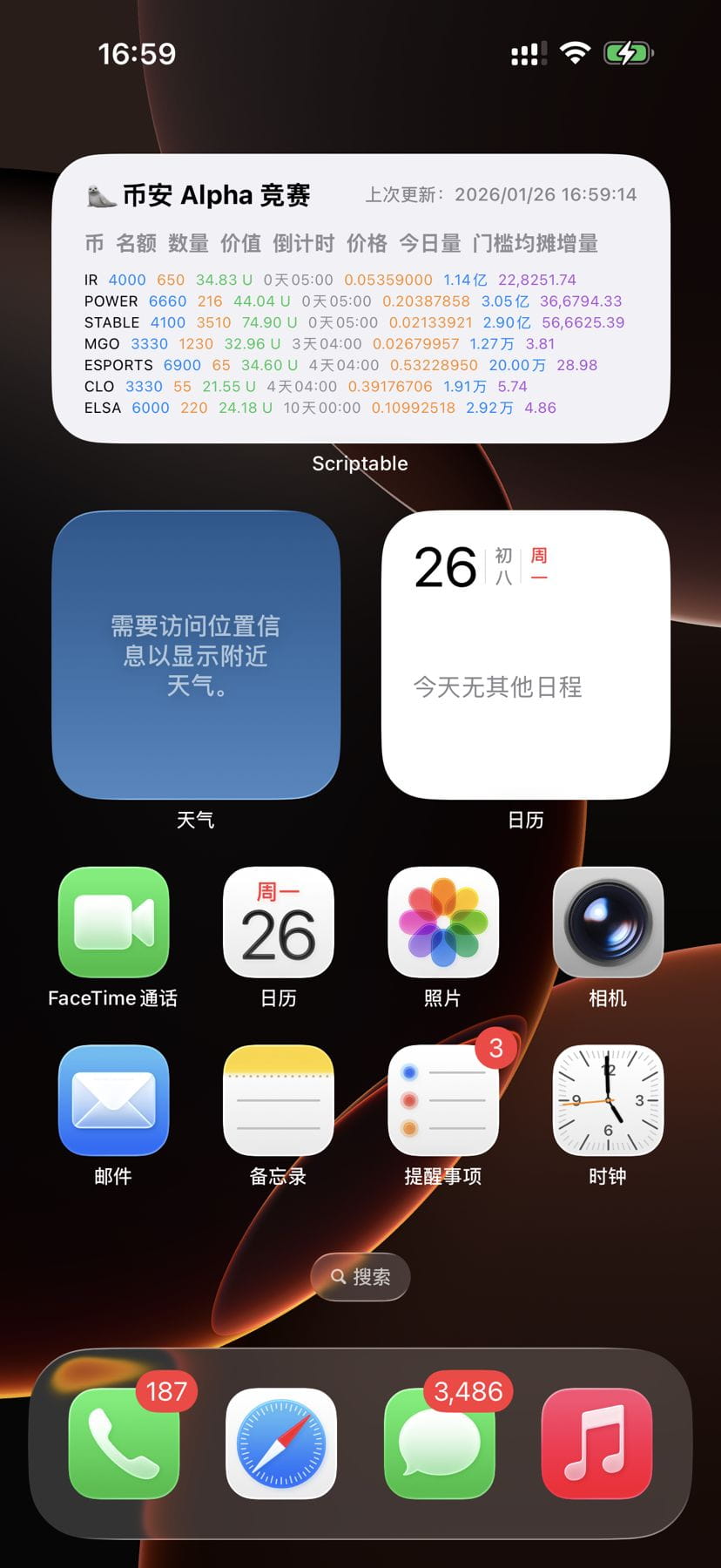
2. Version Update History:
1️⃣ 2026/01/29: 🦭iPhone Home Screen Widget Update: Supports showing/hiding upcoming activities, and instantly hiding activities that have just ended
Previous version: Will show all upcoming activities, as well as activities that ended less than 48 hours ago.
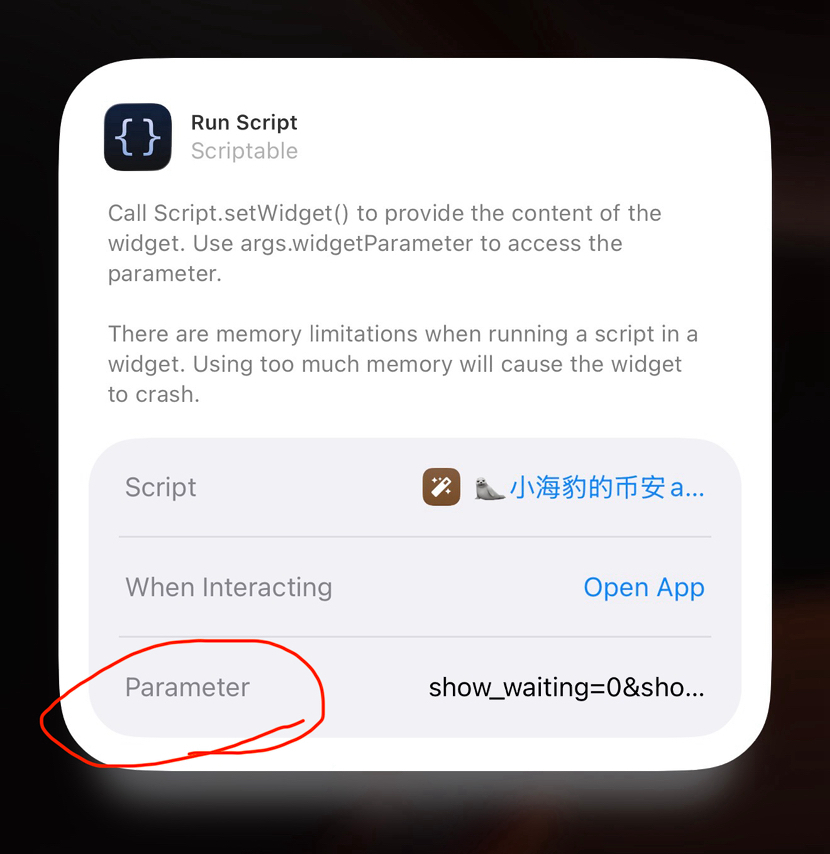
Updated version: But you can manually set to show and hide. Setting method: Add in the 'parameter' option in the image below:
show_waiting=0&show_expired=1
Where 0 means not displayed, 1 means displayed
3. Step-by-step Detailed Tutorial
1️⃣ Prerequisites
Prerequisites: You need an iPhone and be able to access the internet scientifically. Android is not supported for now.
2️⃣ Download the Scriptable app
You can directly search and download from the app store:
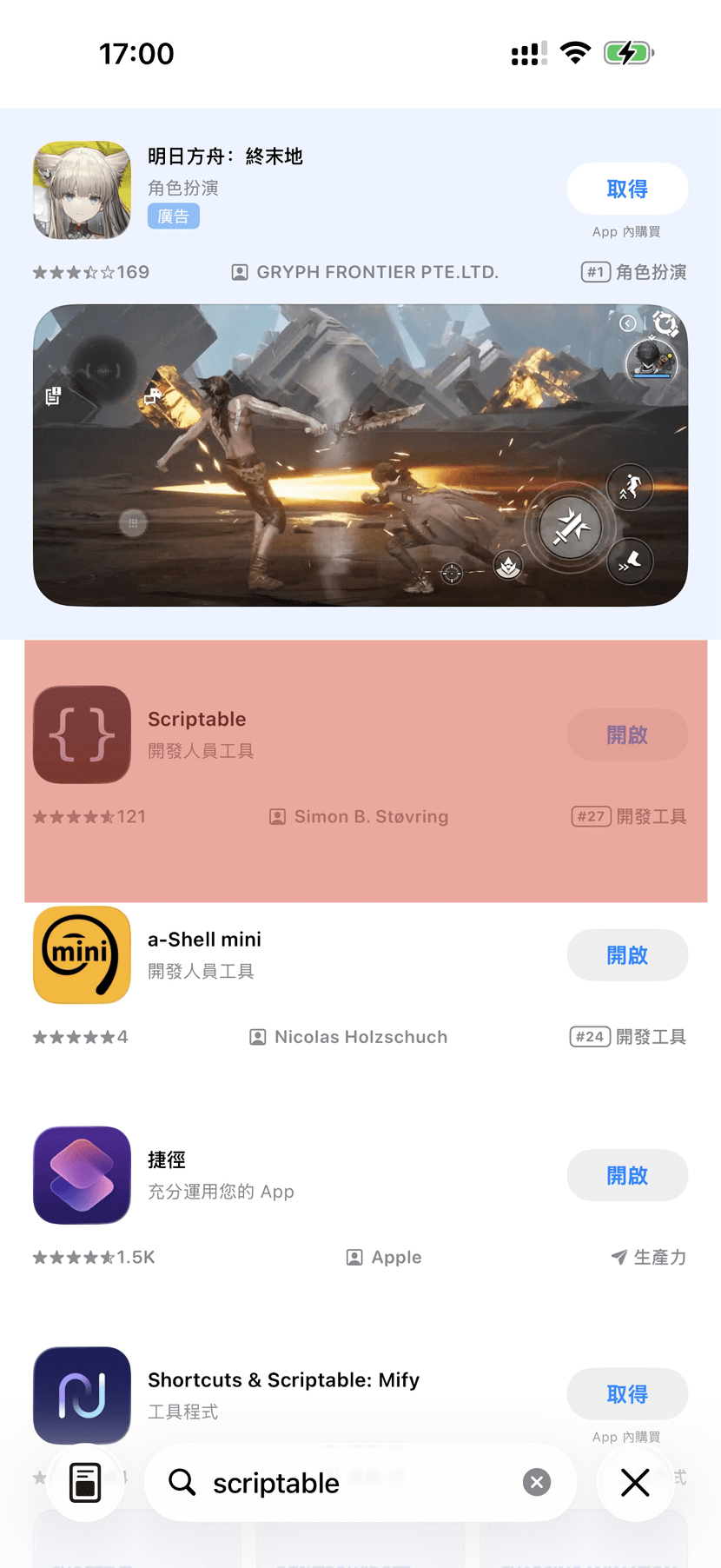
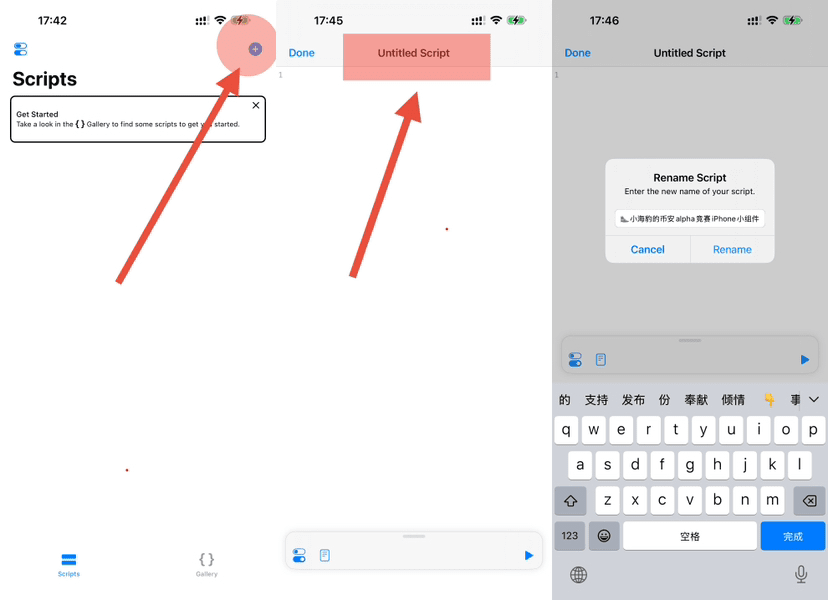
After downloading the Scriptable app, open it, click the ➕ in the upper right corner to create a new blank script, then click the title area and give the script a random name, like '🦭 little seal's Binance alpha competition iPhone widget':
3️⃣ Download the widget source code
Binance Square is not suitable for posting external links.
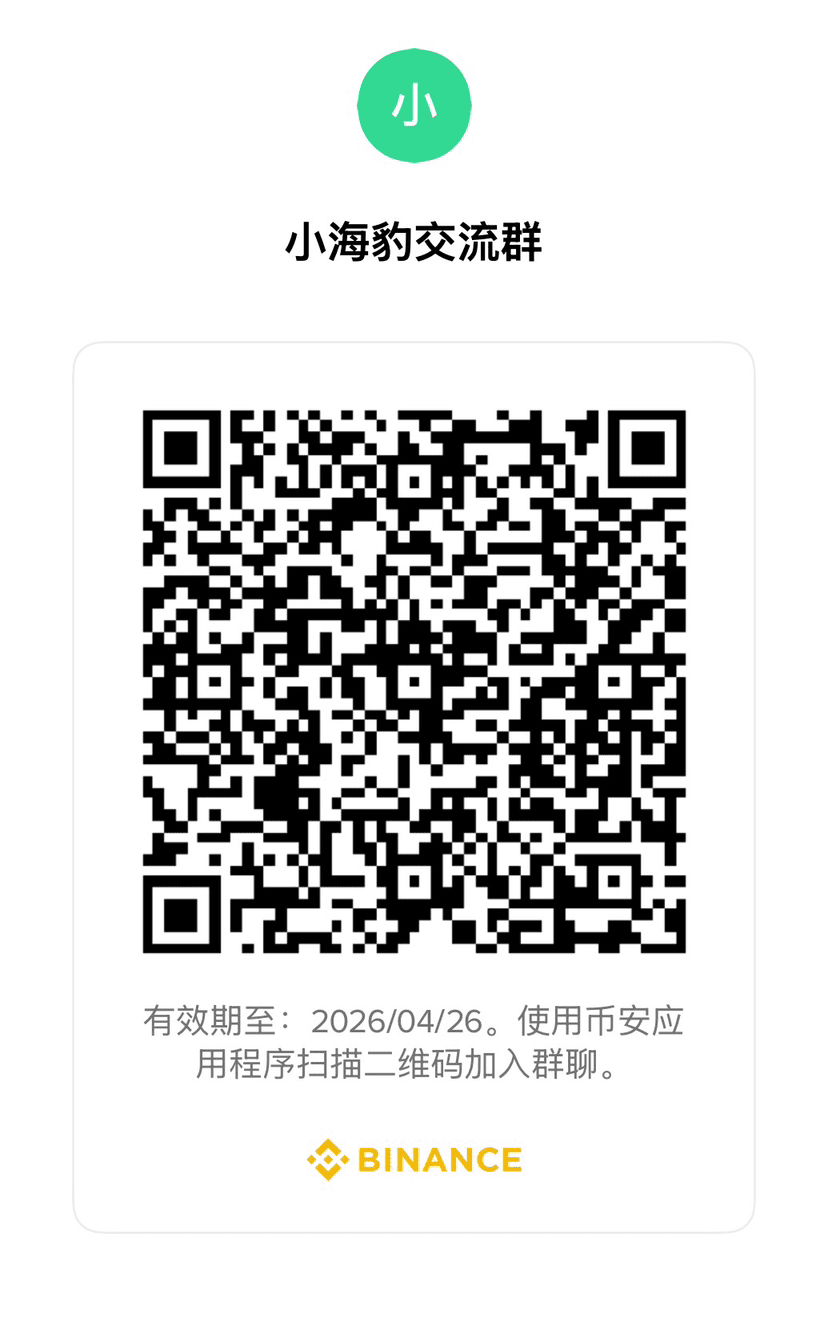
Directly click my avatar to enter the homepage, join my Binance chat room's new group, and click the download link pinned in the group.
You can also join the old group, which was built by a big shot who helped me when I had less than 1000 fans. Both groups will be maintained 👇:
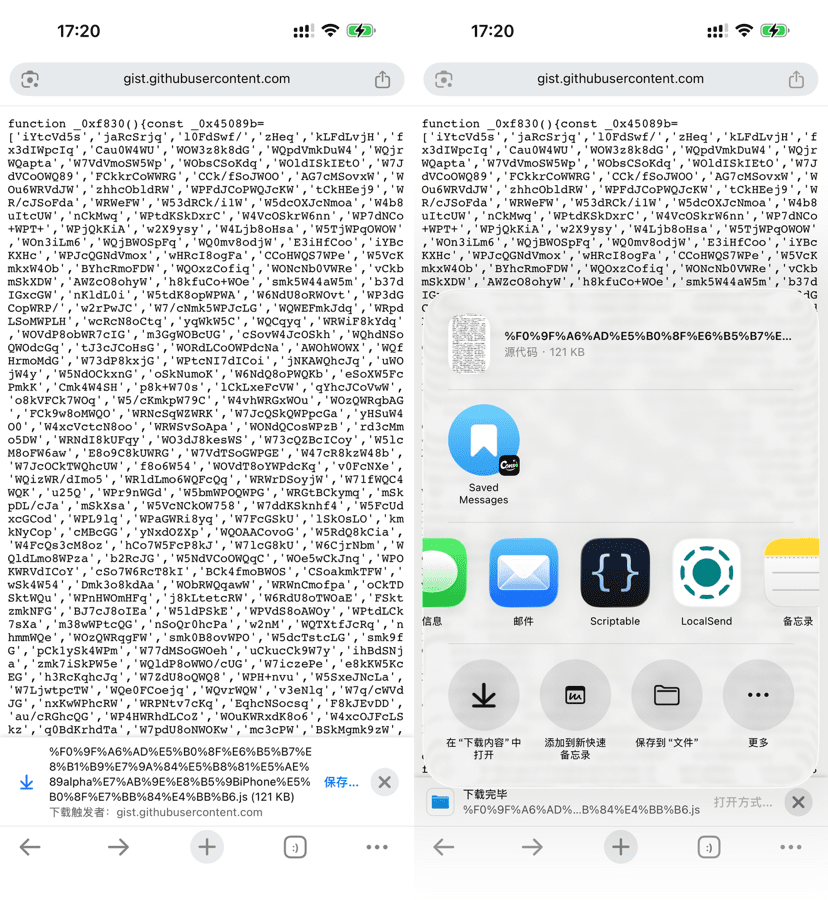
Some mobile browsers, like Chrome, will automatically save files; you can directly click save, and then open it with Scriptable:
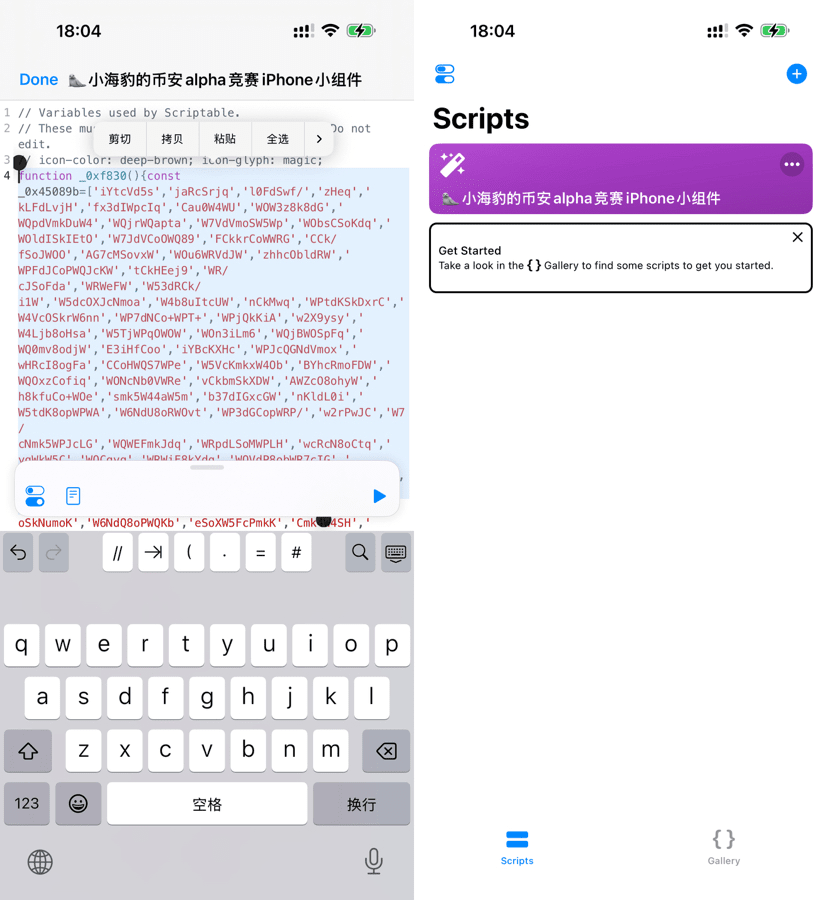
If your browser does not pop up for automatic download, you need to copy the text you selected and paste it into the script '🦭 little seal's Binance alpha competition iPhone widget' created in the previous step:
4️⃣ Add iPhone desktop widget
Long press on the blank area of the iPhone screen until the icons shake, then click the 'Edit' button in the upper left corner of the screen, and select 'Add Widget' from the pop-up menu:
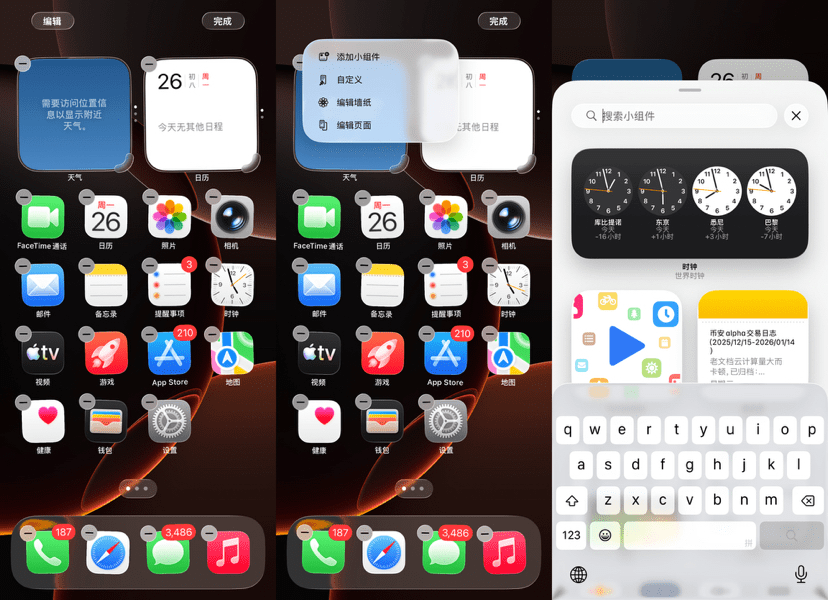
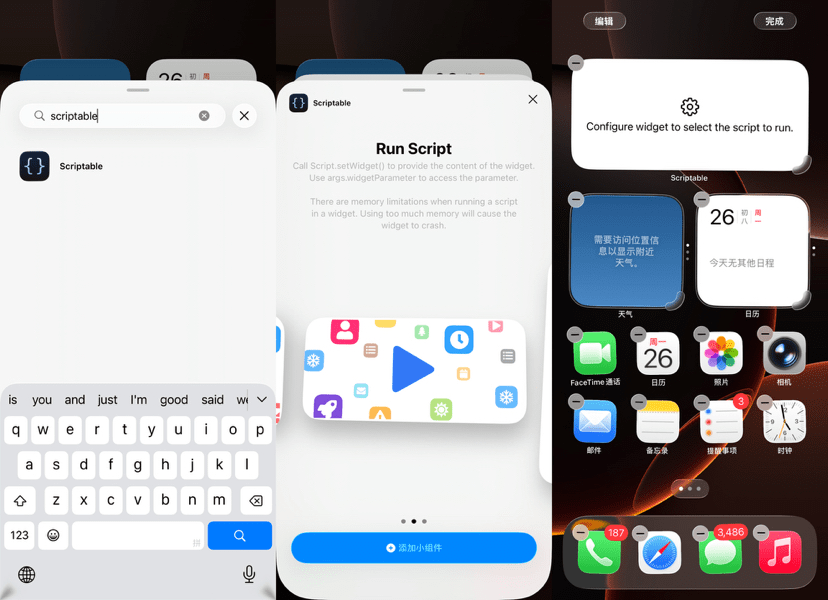
In the search box, search for 'Scriptable' directly. After it appears, click to open it, swipe right 👉 to the second rectangular widget, and click the blue button at the bottom 'Add Widget', the effect is as follows:
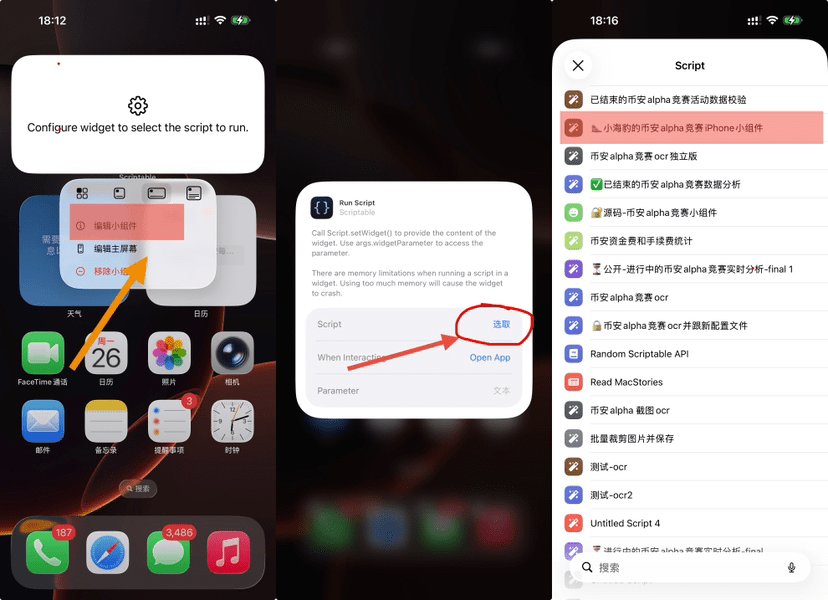
Long press the rectangular widget that has been added to the desktop, click 'Edit Widget' in the pop-up menu, then click the 'Select' button in the pop-up window, choose the '🦭 little seal's Binance alpha competition iPhone widget' created in step 3️⃣, and then you're done:
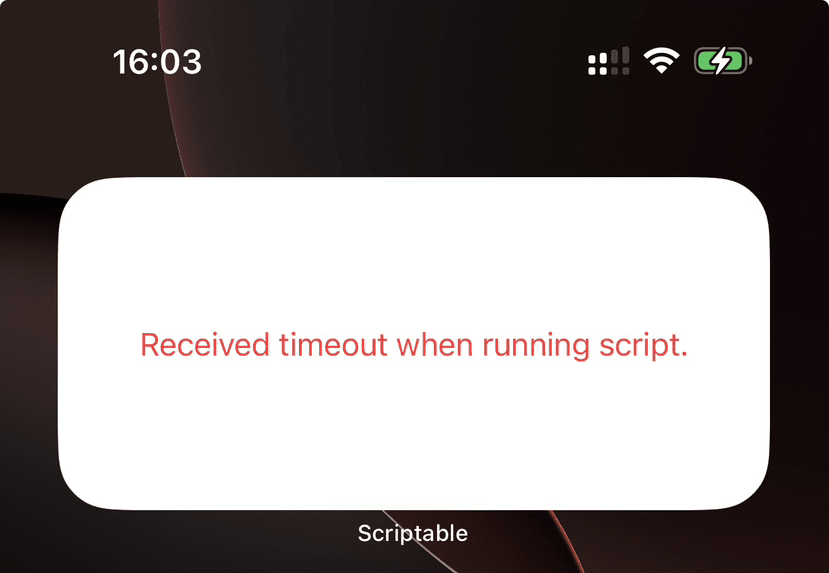
The widget starts out blank and needs to wait a few seconds to load data online. If it takes a long time to load, or if you see the red error below, it means there is a problem with your network 🤨, please resolve it on your own, you know what to do:
Instructions:
1️⃣ Refresh Time
Data is expected to update every 5 minutes, but due to performance, battery life, and memory management on iPhone, it may exceed 5 minutes. This is an iOS mechanism that cannot be controlled.
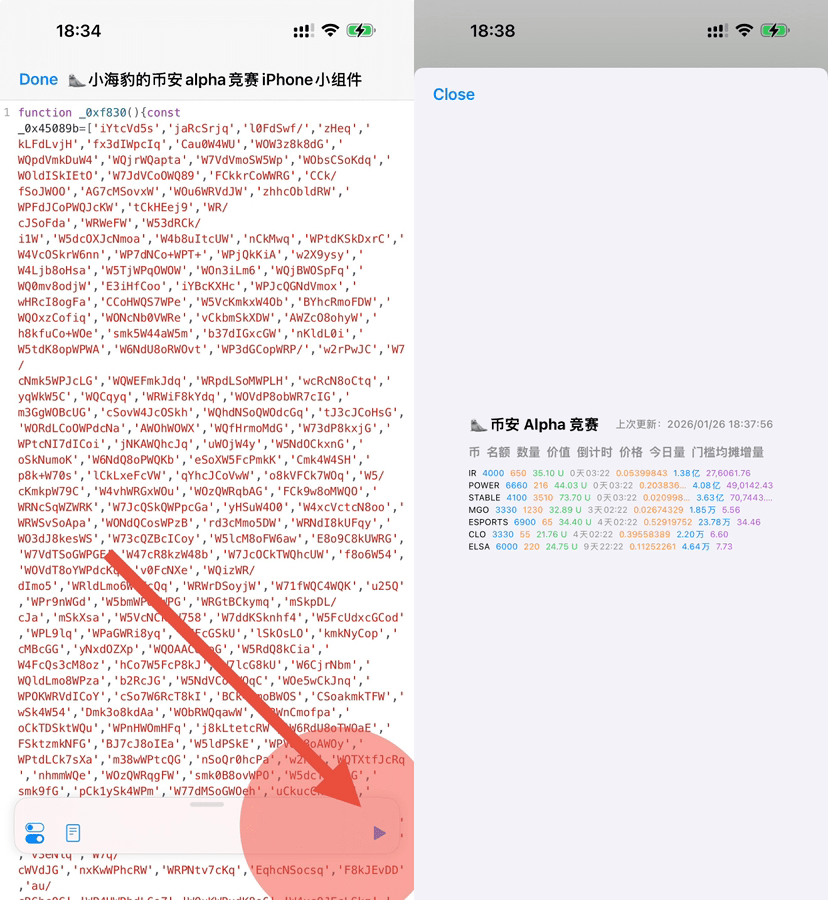
If you want to see real-time updates immediately, you can click on the blank area of the desktop widget, then in the automatically opened Scriptable app, click the blue ▶️ button in the lower right corner, and after a few seconds, real-time data will automatically pop up:
2️⃣ Field Explanation
‘Today's Volume’: The total volume of all Binance users' alpha limit orders today, consistent with the trading volume in the K-line chart.
‘Threshold Shared Increment’: Today's volume ➗ Quota ✖️ Competition multiple
3️⃣ Redirect
Clicking on a line in the widget will automatically open the details page of that token in the browser. I originally planned for it to jump to the corresponding trading page in the Binance app, but the Binance app does not support that.
Click on the widget title bar and header to automatically jump to the little seal's x homepage, welcome to follow. Some content not suitable for posting on Binance Square will be posted on x later.
4️⃣ Ended events
Since the ended events will not immediately issue rewards, they will continue to stay in the widget for 48 hours for your convenience to check the price.
5️⃣ Suggestions
It is recommended to use the widget in conjunction with this seal's competition calendar. The calendar is a static poster with richer information; I will post updates at noon every day at 12 PM, and if there are special circumstances, I will add updates in the afternoon and evening. See details: 📢🔥Heavyweight|Little Seal Alpha Competition Calendar Exclusively Released, Welcome to Experience and Provide Feedback
Today is 2026/01/26, the most bizarre #ALPHA competition $IR $STABLE $POWER is in the final sprint stage, with three hours left. This little seal is busy writing this tutorial and hasn't refreshed enough, so I need to hurry up and refresh.
I wish everyone good luck㊗️🤑. See you at 10 PM.
Calendar poster example: