
#Binance Wallet @binancezh Binance @binance Wallet Reveel Booster Event Phase Five
This phase of Reveel's tasks is similar to the fourth phase, except that there is an additional Task Eight. When many people complete Task Seven, it can be a bit convoluted, so it's suggested that everyone not be lazy and complete it as soon as possible.
Let's start the task tutorial
Task One: Follow @r3vl_xyz on Twitter
Task Two: Follow on Twitter
Task Three: Retweet
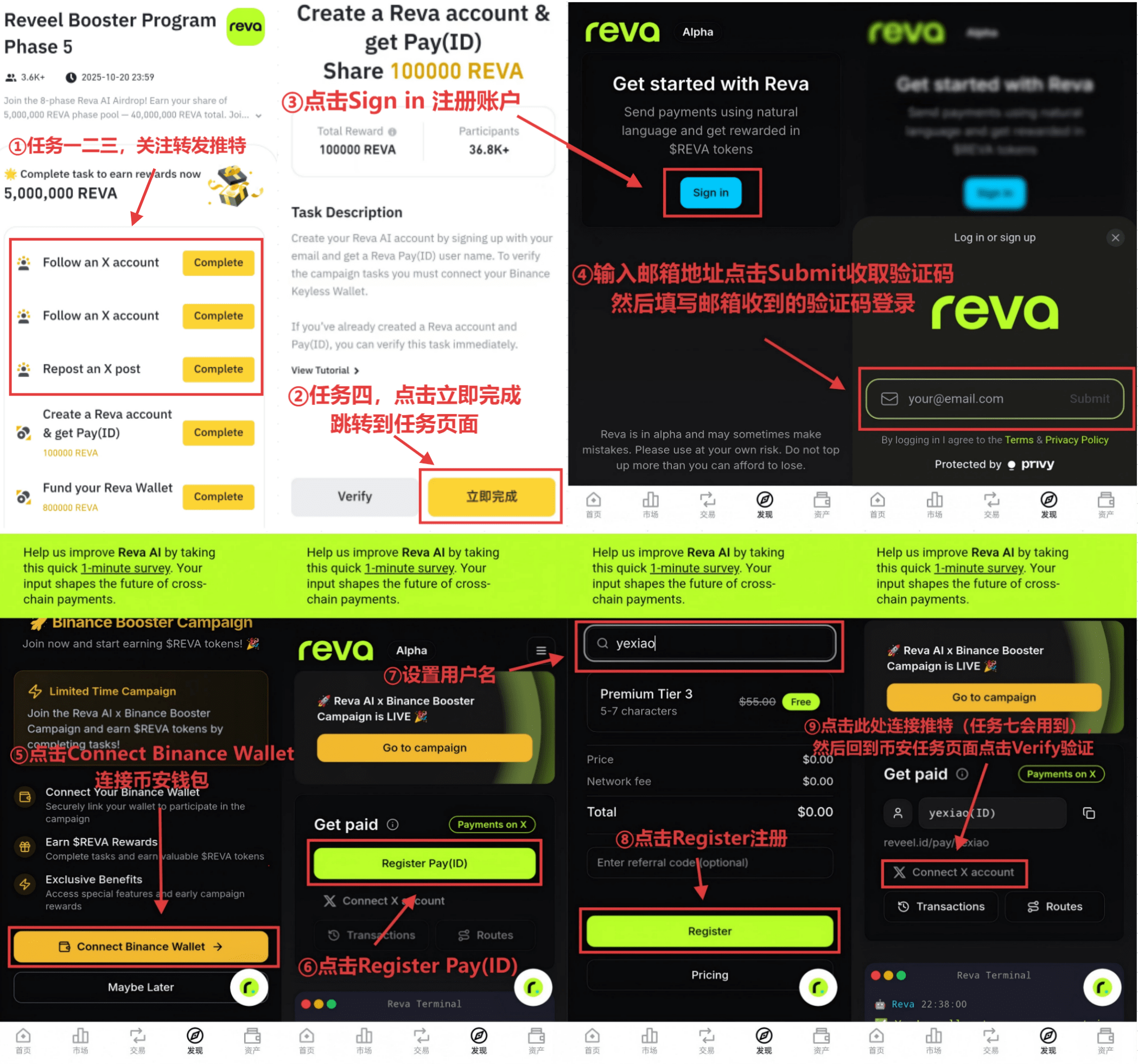
Task Four: Register an account, after being redirected to the task webpage, click Sign in to register an account, enter your email address and click Submit to receive a verification code and fill in the verification code received in your email to log in, then click Connect Binance Wallet to connect your Binance wallet, click Register Pay(ID), set your username and then click Register, and finally click Connect X account to connect and bind Twitter (if you have completed tasks from previous phases, Task Four can be verified directly).
Due to lagging on mobile, it is recommended to perform Task Five and Task Six on a computer
Task Five:
First, use a computer to access the website: https://www.revapay.ai/
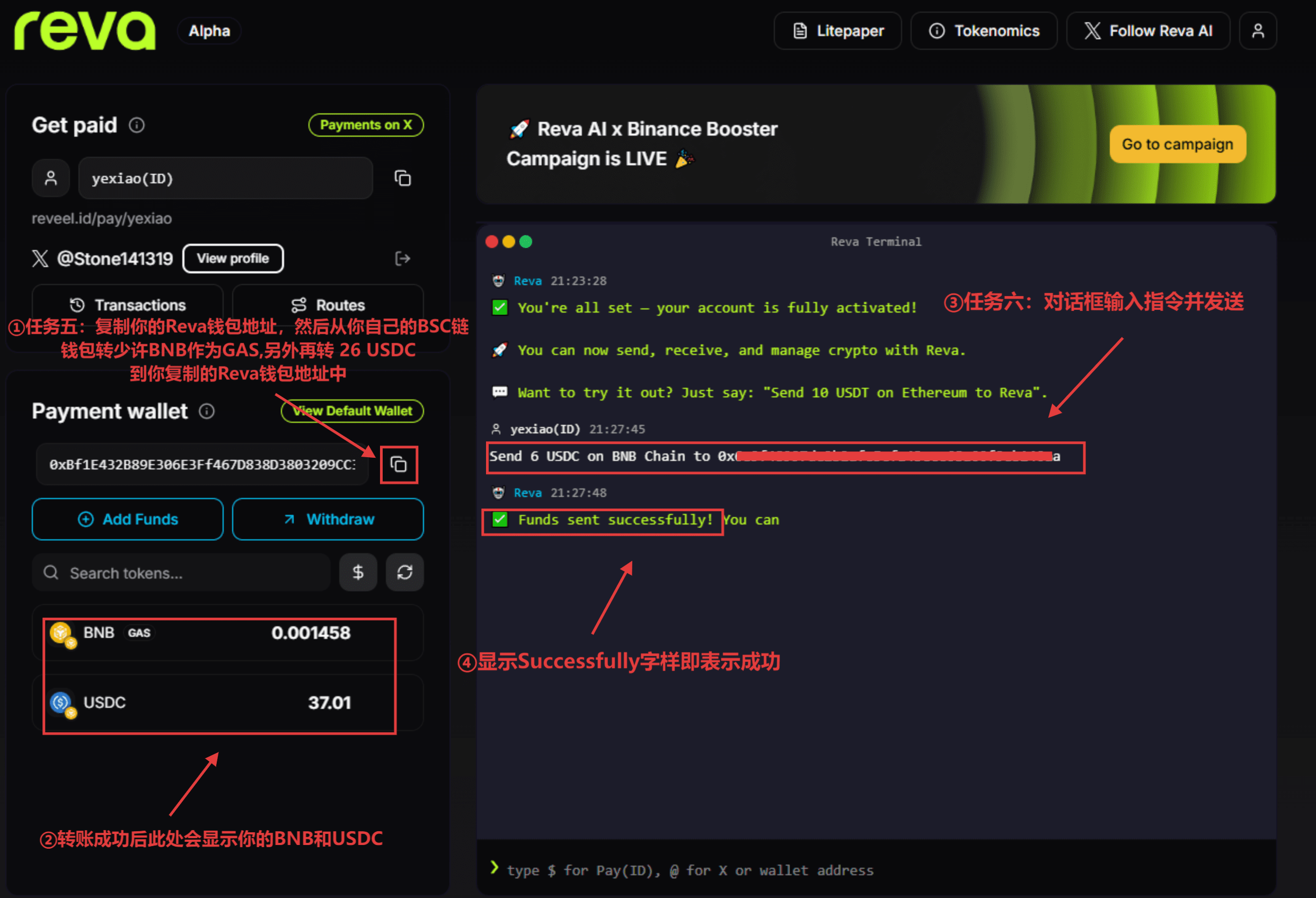
After logging in with your email or X, copy your Reva wallet address, then transfer a small amount of BNB from your own BSC wallet as GAS, and also transfer 26 USDC to the Reva wallet address you copied, after the transfer is completed, your BNB and USDC will be displayed at the bottom of the page
Task Six: Send the following command in the dialogue box on the website (replace the address with your own wallet address):
Send 6 USDC on BNB Chain to your bsc wallet address
After clicking send, if you receive a reply saying Funds sent successfully, it indicates success
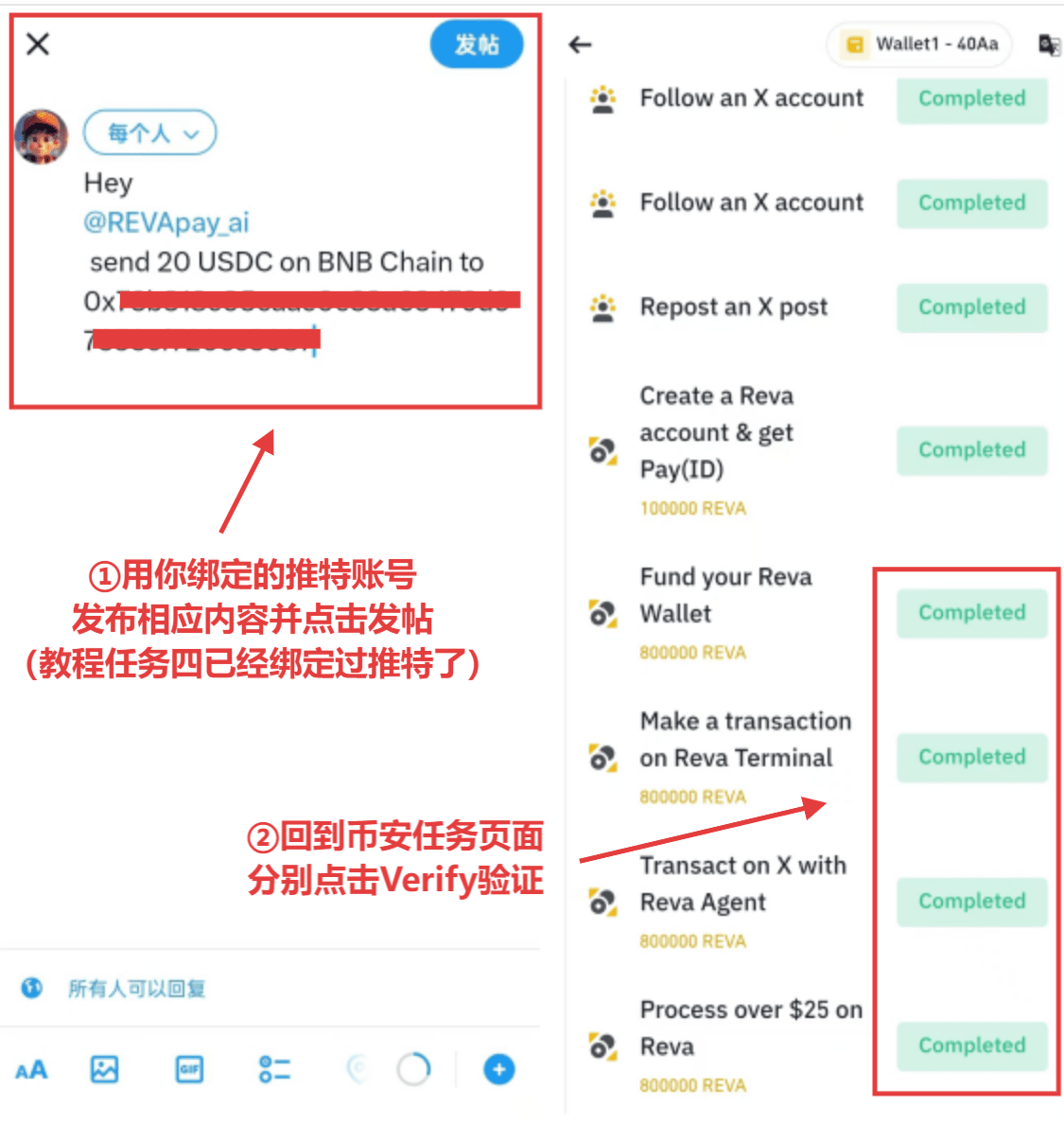
Task Seven (may require multiple attempts): In Task Four, you have already linked your Twitter account on the website, use your linked Twitter account to post the following content:
Hey @REVApay_ai send 20 USDC on BNB Chain to your bsc wallet address
Wait for your tweet to receive a reply, if the content contains the transaction hash, it indicates success (after posting on Twitter, AI may not necessarily reply under the tweet, you can check if REVA wallet has initiated the transfer or if the target wallet has received the funds)
Task Eight: Complete Task Six + Task Seven according to this tutorial, the interaction amount has exceeded 25 USDC, you can verify directly
This is the complete content of the tutorial, further updates on other tutorials will continue, if you need, please follow, thank you for your support