
Binance Ai Pro has opened public testing, and I activated it as soon as possible. After completing the basic features, Binance has thoughtfully added skills that can actively communicate with us.
So the first thing I thought of was to connect it to Telegram.
The reason is simple - I can't keep the webpage open waiting for AI responses for three days, but I can check Telegram notifications 24 hours a day.
The configuration process is not complicated, just four steps to complete.
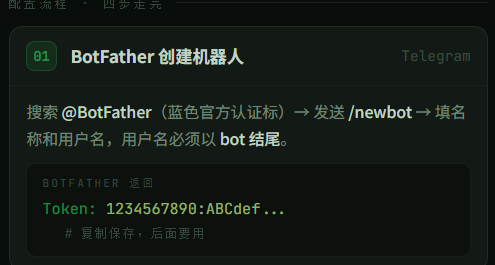
Step one: Create a dedicated bot in BotFather.
Open Telegram and search for @BotFather, which has a blue official verification mark. Send /newbot and fill in two things: the bot name can be anything, but the username must end with 'bot', for example, BinanceAiPro_bot.
After completion, BotFather returns a string Token, the format is a combination of numbers and letters, copy and save it for later use.
Step 2: Write the Telegram channel into the OpenClaw configuration file
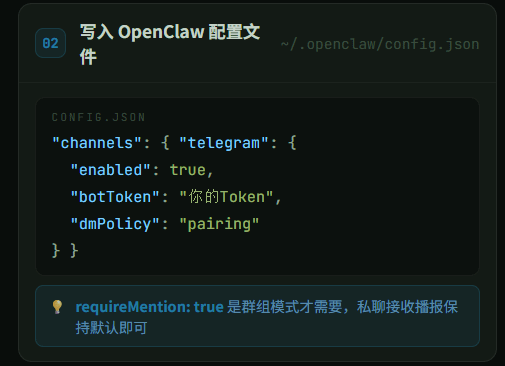
The underlying Binance Ai Pro runs on the OpenClaw framework configuration file usually located at ~/.openclaw/config.json, add the following content:
{
"channels": {
"telegram": {
"enabled": true,
"botToken": "Your BotFather Token",
"dmPolicy": "pairing",
"groups": {
"*": {
"requireMention": true
}
}
}
}
}
Send the format to AI and it will help you adjust it accordingly.
Note that requireMention: true is needed in group mode to @ the bot for triggering private messages, it does not affect this. If you only use private messages to receive broadcasts from Binance Ai Pro, this value can remain default.
Step 3: Start the gateway to complete pairing
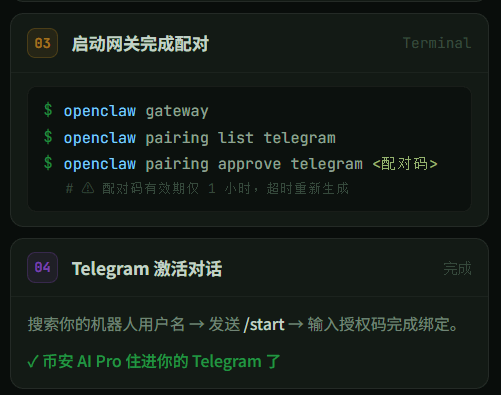
Execute three commands in sequence in the terminal:
openclaw gateway
openclaw pairing list telegram
openclaw pairing approve telegram <pairing code>
Note that the pairing code is valid for only 1 hour; if it expires, you need to regenerate it.
Step 4: Activate the conversation in Telegram
Search for the username of the robot you just created and send /start; in pairing mode, input the authorization code to complete the binding.
At this step, Binance Ai Pro has moved into your Telegram.
What can be done after connecting
After connecting to Telegram, Binance Ai Pro can actively push to you: changes in the positions of AI sub-accounts, asset changes in on-chain wallet addresses, signals triggered by custom strategies.
You can also directly send commands in the Telegram chat to let AI help you check current holdings, analyze the price structure of a certain coin, or even place orders in the AI sub-account.
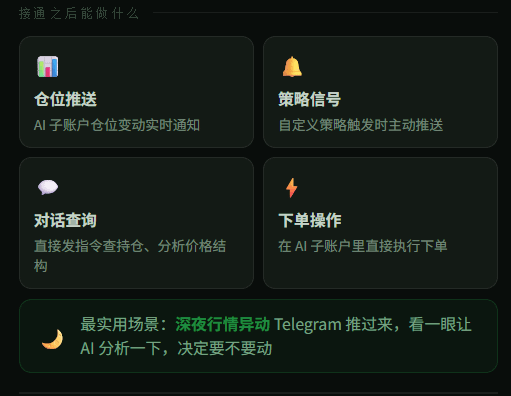
The most practical scenario is when there is a sudden market movement at midnight, Telegram sends it over, I take a glance and let AI analyze it to decide whether to act.
Two pitfalls to avoid
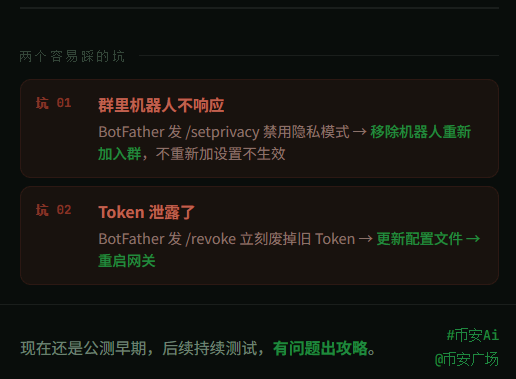
If the bot in the group does not respond, send /setprivacy to BotFather to disable privacy mode, then remove the bot from the group and re-add it; if you do not re-add, the settings will not take effect.
If the Token is leaked, go to BotFather and send /revoke to immediately invalidate the old Token, update the configuration file, and restart the gateway.
#币安Ai It is still in the early public testing phase, there are still functions needed to be polished, I will continue testing to see what issues arise and then create corresponding strategies.@币安广场