#binance What is Lite? (Brief Guide)
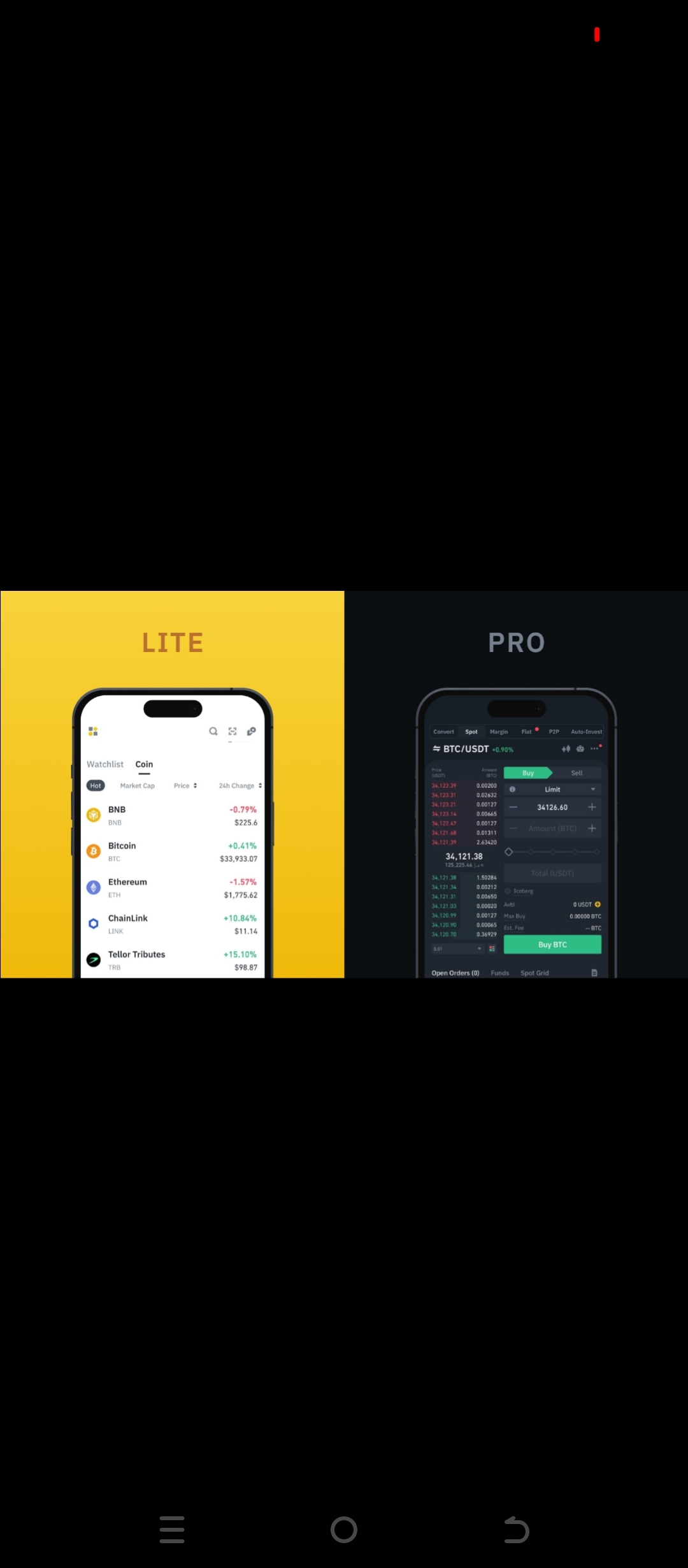
What is #binanceLite?
#Binance Lite is a simple and easy version of the Binance app.
It is specifically designed for newcomers (Beginners) to easily buy and sell crypto.
MakeUseOf
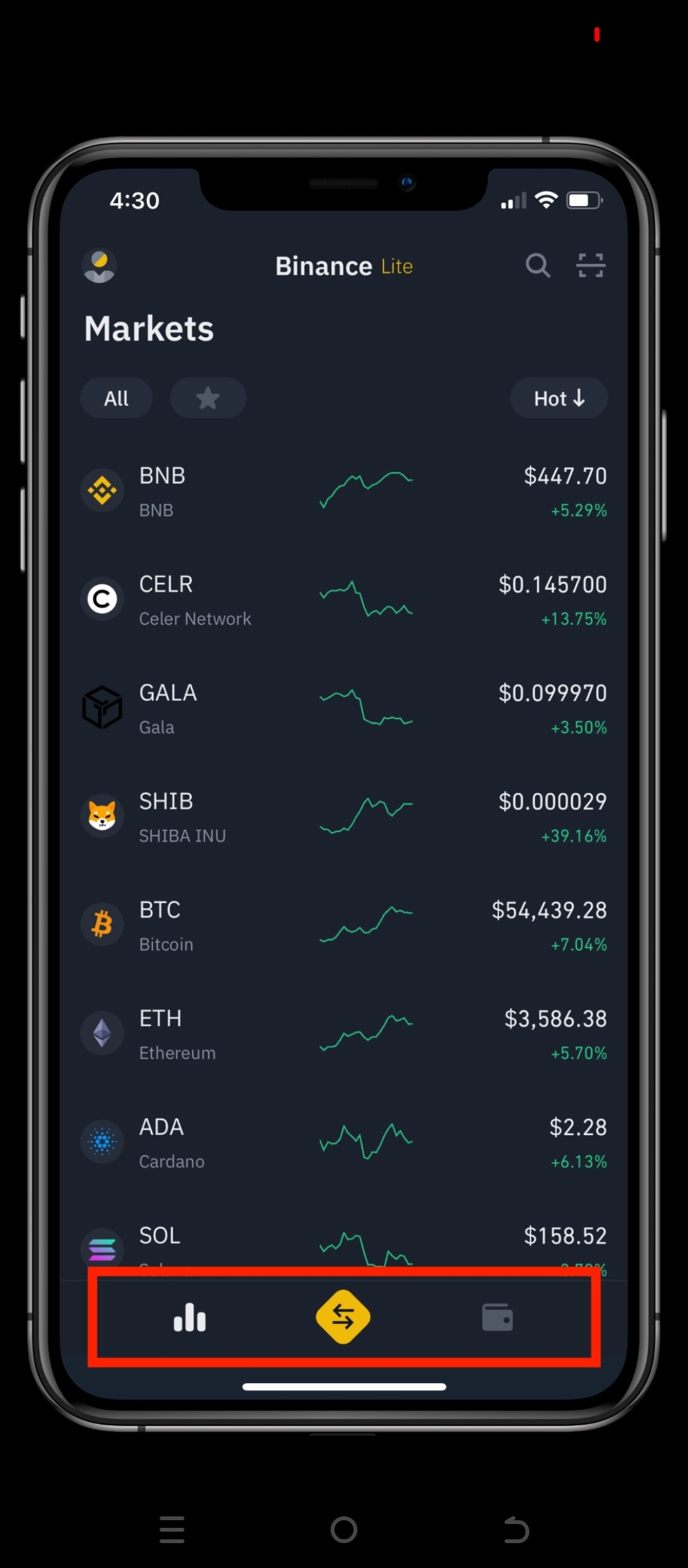
You can do the following in it:
View the price of Crypto
Buy Bitcoin or other coins
Sell Crypto
View your crypto in the Wallet
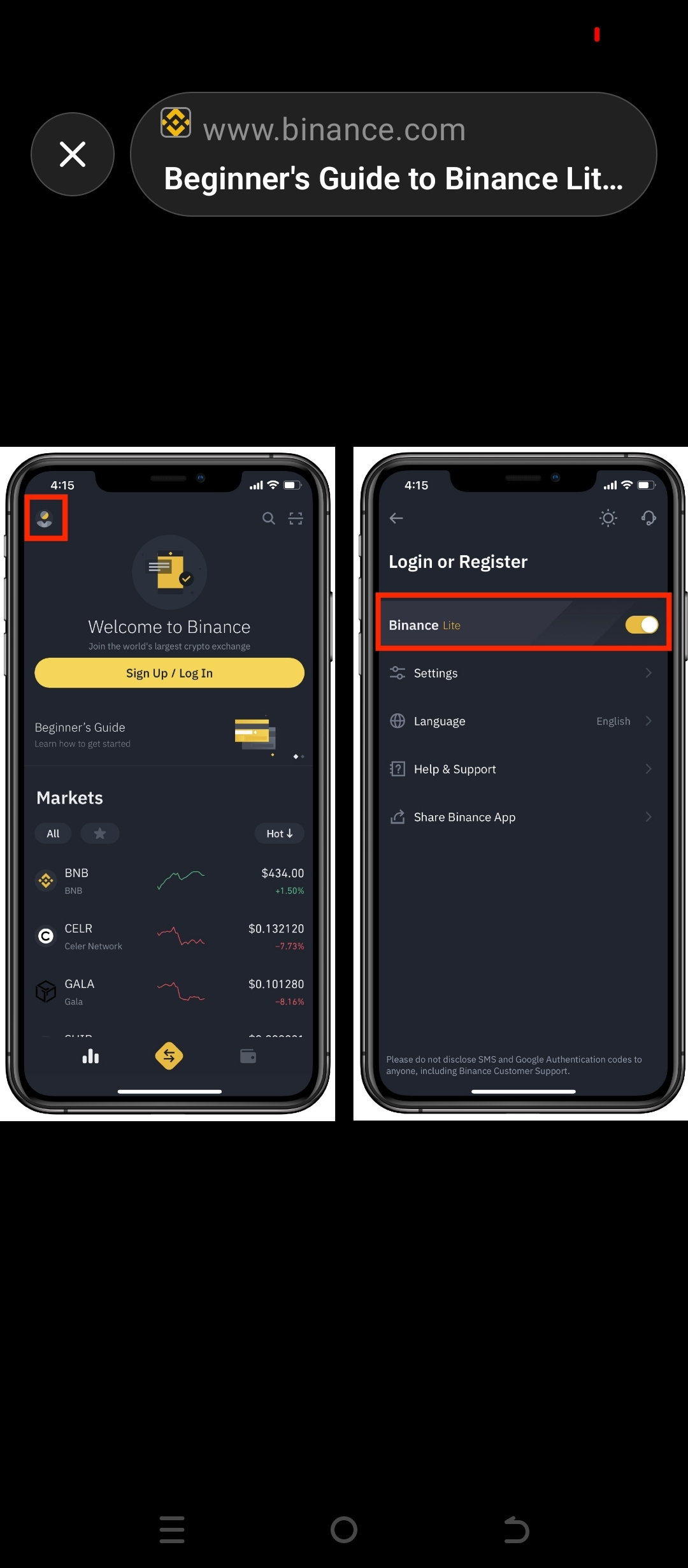
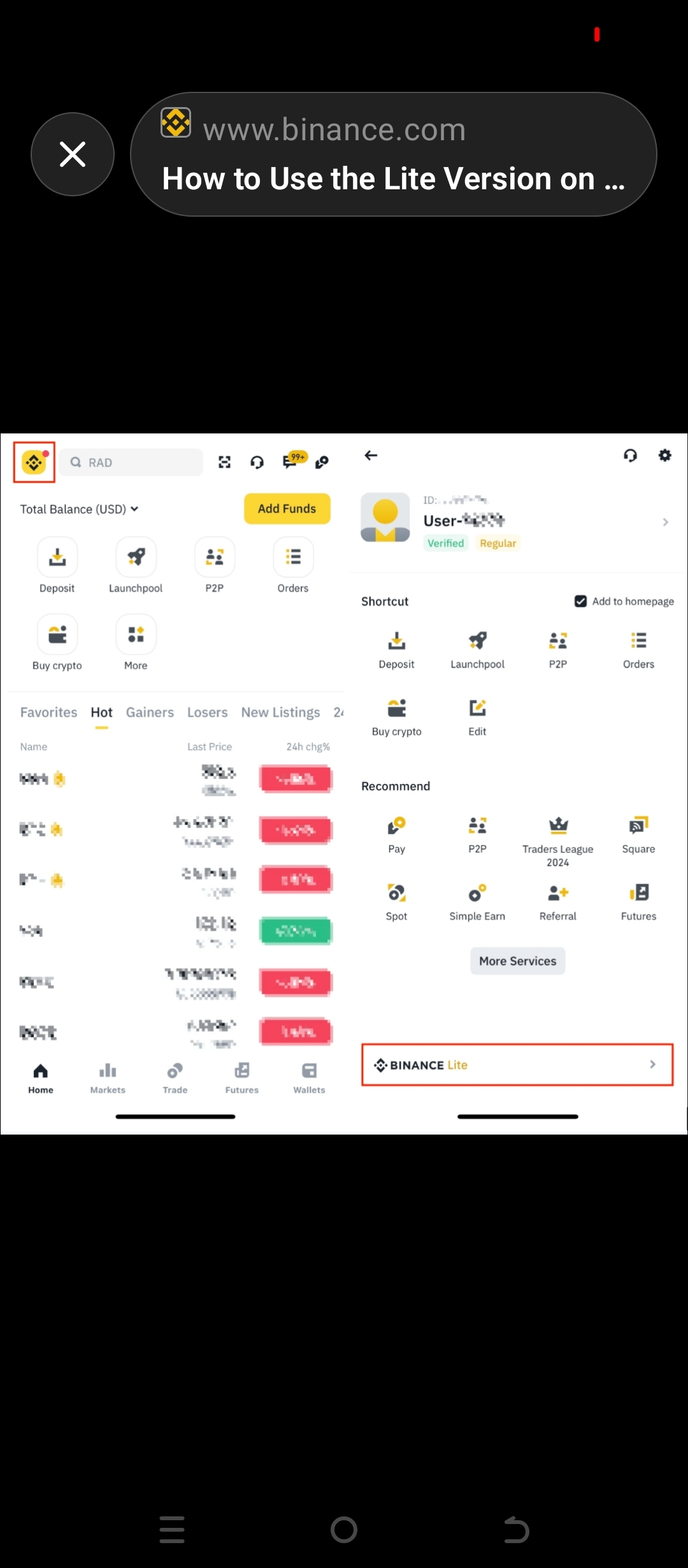
2️⃣ How to turn on Binance Lite?
Open Binance App
Tap on Profile / Binance logo at the top left
The option for Binance Lite will appear below
Tap on this
Now you will enter the Lite Interface.
3️⃣ How to buy crypto in Binance Lite?
Select coin in the App (e.g., Bitcoin)
Tap on the Buy button
Select your currency
Enter amount
Select payment method
Confirm
The purchased crypto will appear in your Wallet.
4️⃣ How to Sell Crypto?
Tap on the coin you want to sell
Press the Sell button above
Enter amount
Confirm
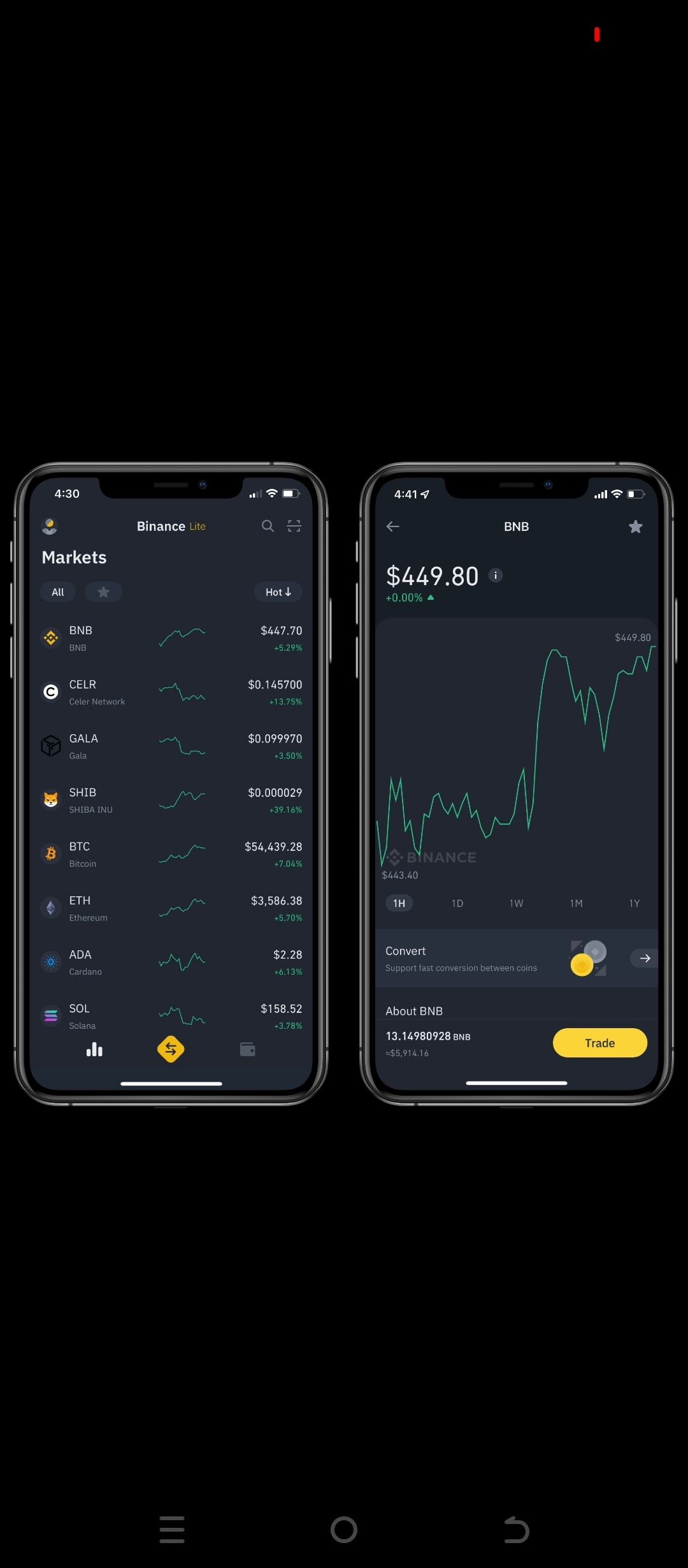
5️⃣ What is Binance Convert?
With Binance Convert, you can convert one crypto to another.
Example:
#BTC ➜ USDT
#ETH ➜ BTC
How to use:
Tap on the #Trade icon in the App
Select Convert
#Select coin
Click on Convert
✅ Summary:
Binance Lite is an easy crypto trading interface where beginners can easily Buy, Sell, and Convert.