

How to set up Binance Square Skill
Binance Square Skill, available on Binance Skills Hub, is a new feature designed to enhance the content creation experience for Binance Square Creators, by allowing content to be published programmatically.
The Binance AI Agent Skill is compatible with most popular agents today, including OpenClaw, Claude Code, and many other platforms. In this guide, we use 🦞 OpenClaw as an example.
Follow the 5 simple steps below to integrate Binance Square Skill with OpenClaw and enable automated posting on Binance Square.
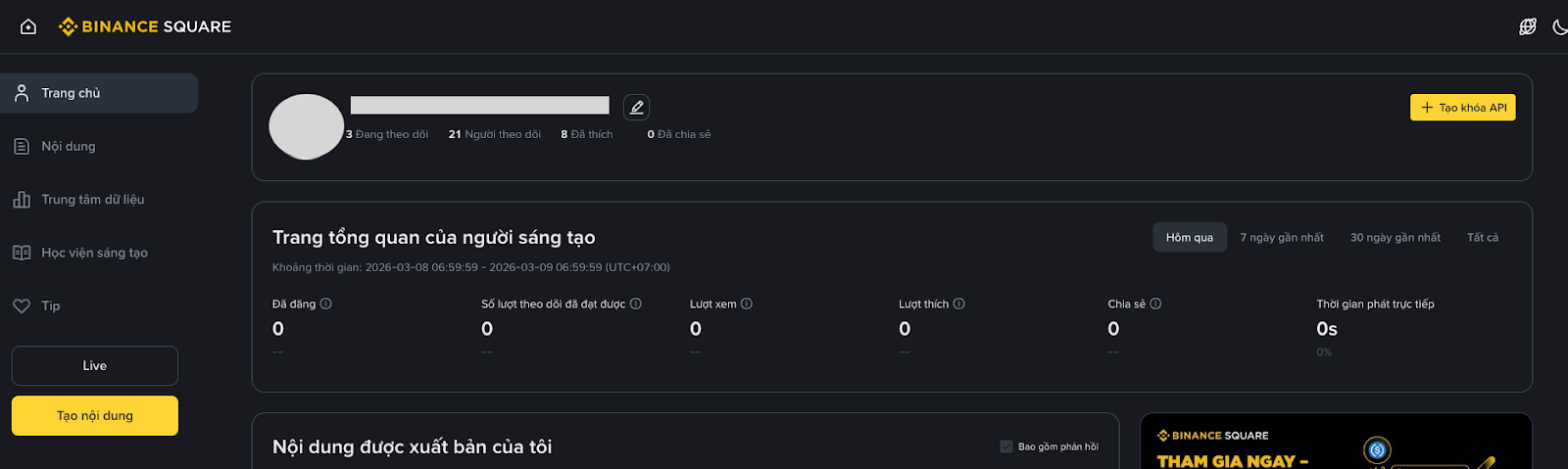
Step 1: Create an API key
Access Binance Square “Creator Hub.”
Press the “Create API key” button.
Step 2: Copy the API key
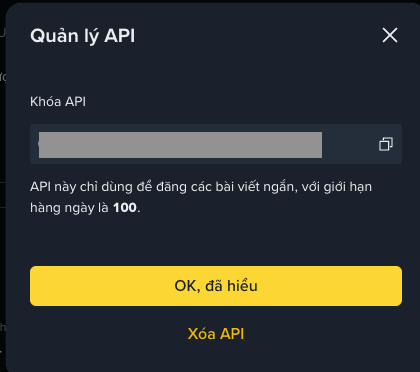
After creating, click “View my API key”.
Copy your API key.
⚠️ Security note
Keep your API key safe and never share it with anyone.
This API key is only used to post content on Binance Square, not related to asset accounts or trading functions.
If you suspect the key is compromised, recreate it immediately in the Creator Hub.
Step 3: Install Square Posting Skill
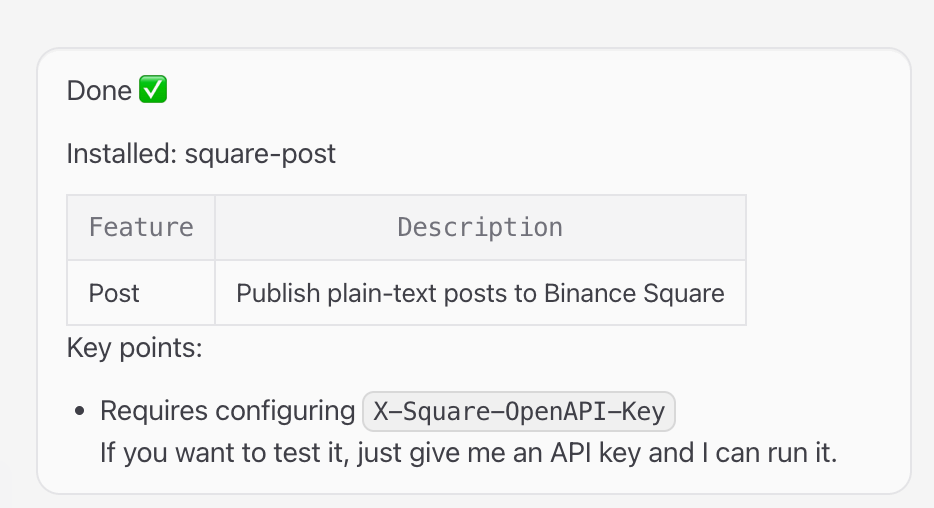
Open OpenClaw and enter the following content in the chat:
Help me install the following skill
https://github.com/binance/binance-skills-hub/tree/main/skills/binance/square-post
OpenClaw will automatically complete the installation.
Step 4: Configure the API key
Provide OpenClaw with the API key you copied in Step 2:
Configuration complete! 🎉

Step 5: Start posting
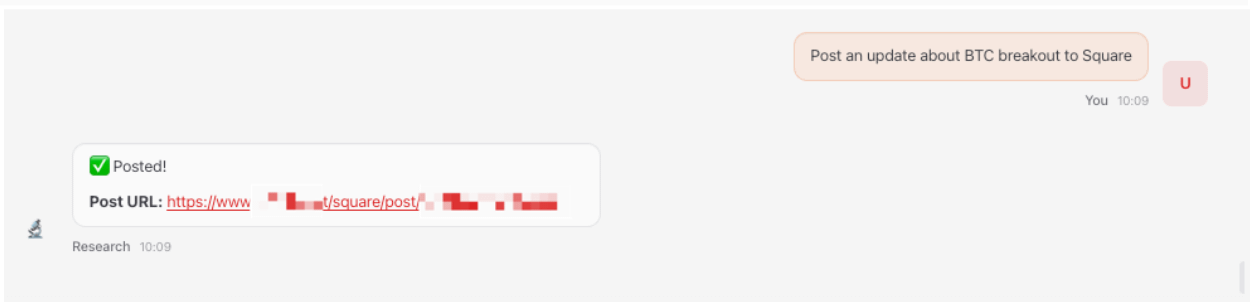
Now you can ask OpenClaw to post content directly for you.
Example command:
FAQ
Question: How many API keys can each account create?
Answer: Each creator account can only create one API Key specifically for posting on Square.
Note:
Keep your API key safe and never share it with anyone. If the key is compromised, recreate it immediately in the “Creator Hub”.
This posting API key is only used to publish content on Binance Square; it is not related to asset accounts or trading functions.
Question: Is there a limit on daily postings?
Answer: Each API key has a default limit of 100 successful posts per day.
Question: What types of posts are supported?
Answer: Currently only text posts are supported. We are actively expanding content formats and rolling out more features for Binance Square—stay tuned!